


Fork Maintenance

This tutorial, as the name implies, addresses fork maintenance.   We stock all parts for the forks, so whatever you need, feel free to call us at 909 445 0900 and we’ll ship whatever you want immediately.

The most common problem for any motorcycle’s forks would almost certainly be leaking fork seals, and in this tutorial we’ll show you how to get to and replace a fork seal on the RX3.

Some people change their fork oil periodically, but the labor involved is fairly significant and we don’t recommend changing the fork oil if you are satisfied with the front suspension or if you don’t have leaks.

Some people like to raise the forks in the fork yokes to change ride and handling characteristics, but we don’t  recommend that.

Finally, you may wish to use a higher viscosity fork oil to stiffen the front suspension; this maintenance tutorial will show you how to drain the oil and replace it with a higher viscosity oil.

Changing the Fork Oil

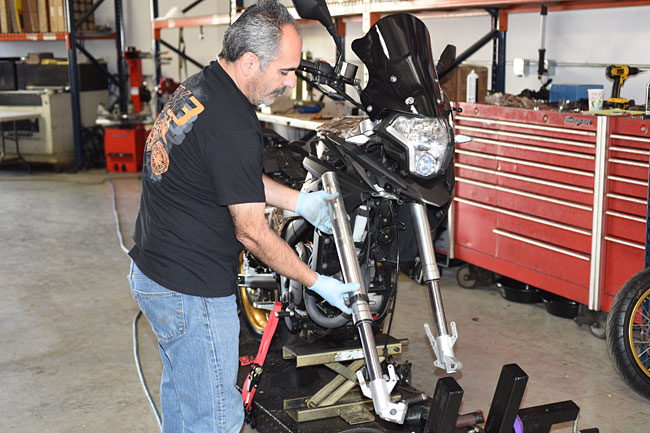
The first step in working on the forks is to remove the front wheel.   You can learn how to do that in our front wheel removal maintenance tutorial.   You will need to get the front wheel off the ground to do this.

After the front wheel has been removed, many people will loosen the fork cap (but just loosen the cap; do not remove it yet).  We advise loosening the upper fork yoke pinch bolts first if you want to do this.  Other folks like to loosen and remove the fork cap after the fork has been removed from the motorcycle (you can do this if you have an impact wrench, but it is difficult to do without an impact wrench once the fork is off the motorcycle).

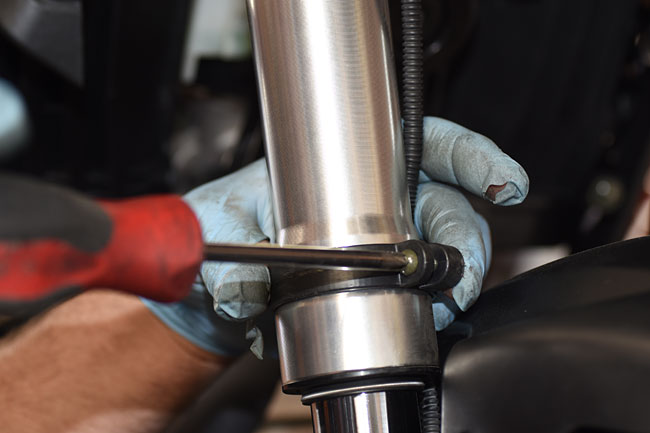
The next step is to remove the speedometer cable from the right fork leg (if you are removing the right fork leg).   There’s a composite clamp that secures it.   Unscrew the clamp screw and detach the speedometer cable from the fork leg.
Forks_0009-650

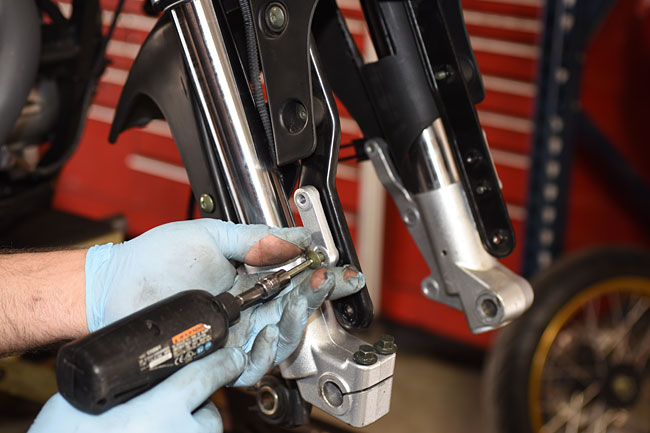
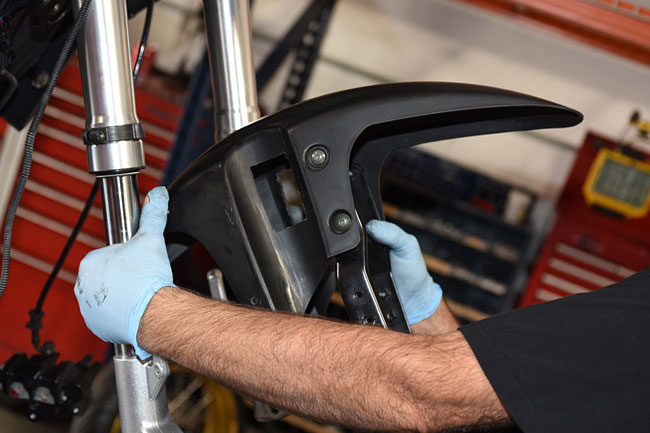
Remove the front fender by removing the four bolts that secure it to the forks.   The front fender can be maneuvered through the forks so that it can be removed after the bolts securing it have been removed.
Forks_0019-650

Forks_0021-650

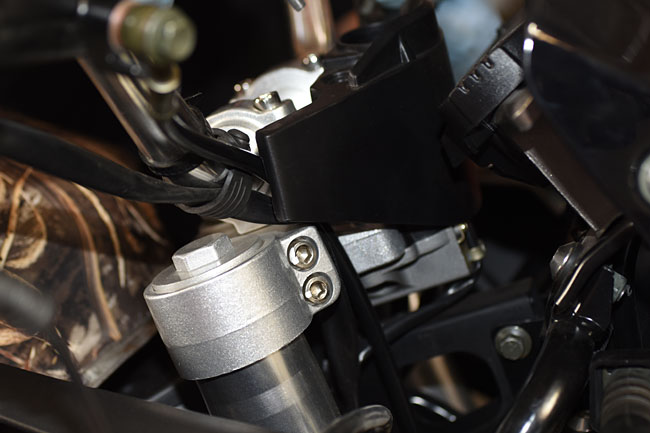
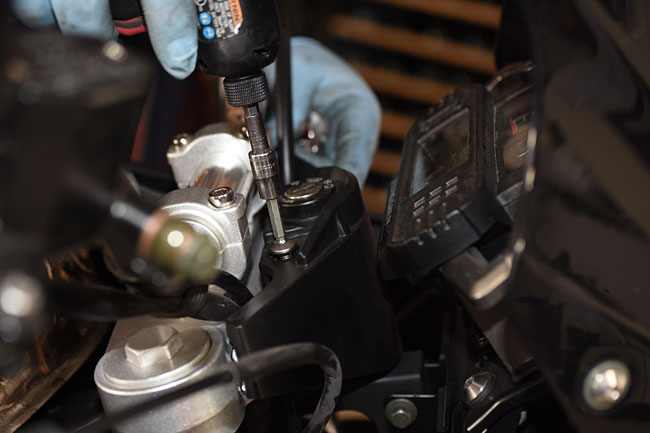
Remove the two bolts that secure the ignition switch shroud.    You need to remove the shroud to gain access to the upper yoke fork pinch bolts.
Forks_0002-650

Forks_0003-650

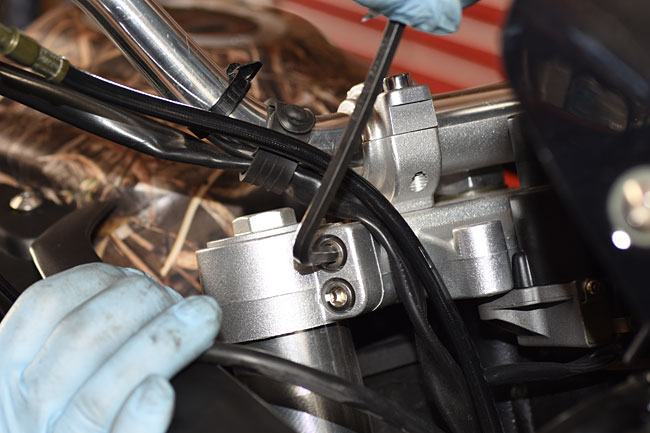
Loosen the two upper yoke pinch bolts if you have not done so already.   You don’t need to remove them; they just need to be loose.
Forks_0025-650

The next step is to loosen the lower yoke pinch bolts, but you need to be prepared for the fork leg to drop as soon you loosen the last pinch bolt.   We recommend holding the fork leg with one hand while you loosen the last pinch bolt.  You can get to the lower yoke pinch bolts from beneath the body panels, and you don’t need to remove the body panels to gain access to the lower yoke pinch bolts.  We took them off for this tutorial only to make the parts more visible.
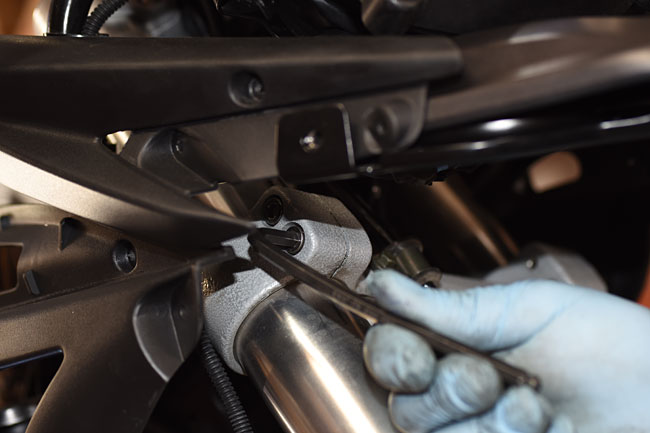
Forks_0024-650

Forks_0026-650

At this point, you’ll have the fork leg off the motorcycle.
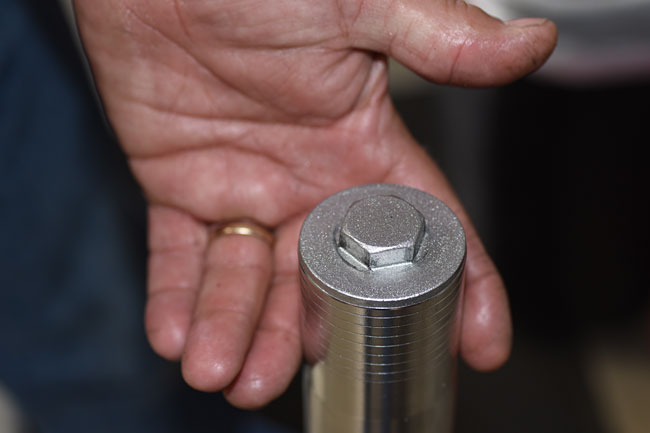
Forks_0027-650

Unscrew the fork cap from the fork.  If you did not loosen it first, as mentioned at the beginning of this tutorial, you will need an impact wrench to loosen it.
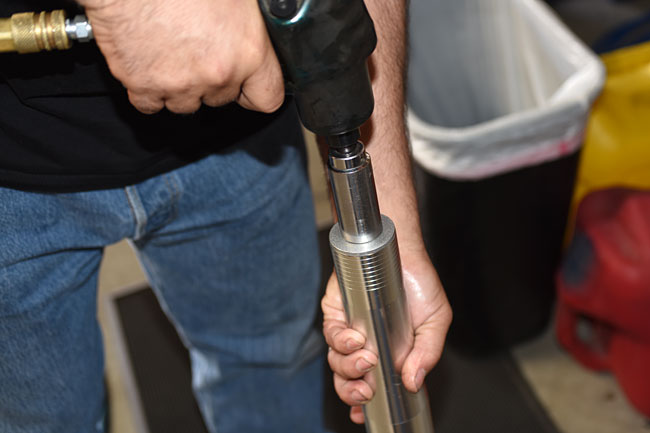
Forks_0028-650

While you are unscrewing the fork cap, and after you have unscrewed the fork cap, keep the fork in a vertical orientation as you see it in the photo below.  That’s because the fork contains oil, and if you tilt it, the oil will spill out.
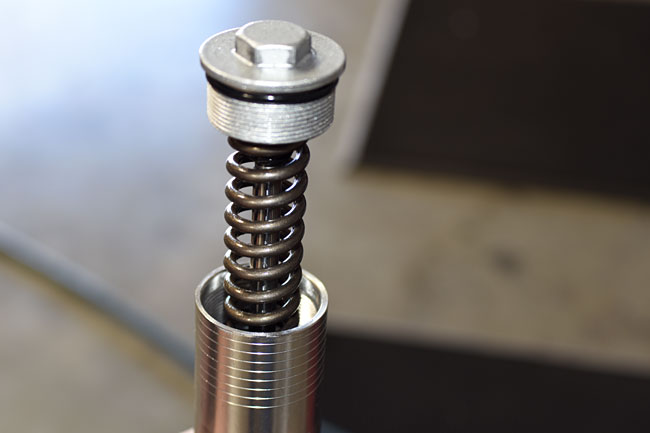
Forks_0030-650

Tilt the fork over a container and empty the oil in it.  Note that in this photo, we’ve already removed the fork cap and spring (that’s why you don’t see it in the photo).   When you do this at this  point in the disassembly process, the fork cap and spring will still be attached to the fork.   The fork cap will be fully unscrewed, but it will be attached the fork rod (as you will see in the two photos down).
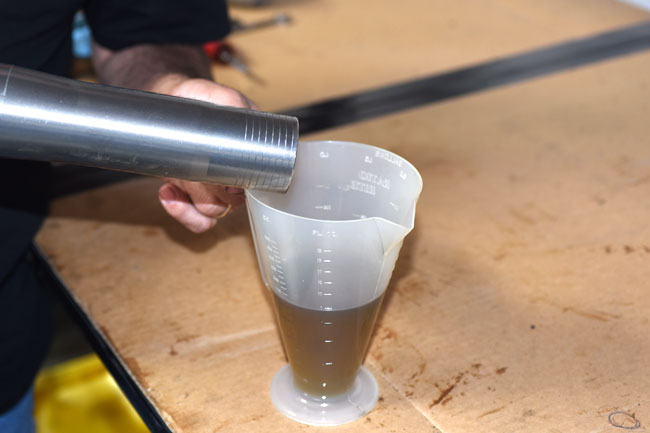
Forks_0035-650

Empty the fork oil into a suitable container for future disposal.
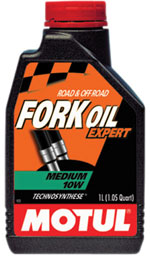
DragSpecForkOilSmall

Each fork leg contains 330 cc (or 11.2 US fluid ounces).   The fork oil that comes from the factory is a fairly light oil, which provides a comfortable ride.   At 210 lbs, I’m what some folks would call a full-figured rider, and I like the ride the RX3 provides as it comes from the factory.   Some people want a stiffer ride if they wish to ride the motorcycle more aggressively in the rough stuff.   You can stiffen the RX3’s front suspension by using a heavier weight fork oil.

At this point, if your fork seals are good (i.e., they were not leaking) and the only reason you took the forks apart was to change the fork oil, repeat the above process for the opposite fork.   Reassemble the forks in the same manner as they were disassembled, leaving the fork caps loose so that you can add new fork oil.  Add 11.2 ounces to each fork.   We advise using a funnel.

CSC stocks fork oils in various weights.  If you wish to stiffen your front suspension with a heavier fork oil, give us a call at 909 445 0900.  Ask to speak with Rich, our suspension specialist, and review your needs with him.   Rich is a real expert in this area and he’ll get you dialed in with the fork oil that will best meet your needs.

Repairing a Leaking Fork Seal

The other common fork maintenance action is repairing a leaking fork seal.   If the fork seal leaks because it was damaged by grit or some other attributable cause, you probably need to only replace the leaking seal.   If the seal started leaking due to age-induced degradation, it’s a good idea to replace the seals on both sides of the forks.  If one leaked due to age-induced degradation, the other is likely to start leaking soon.

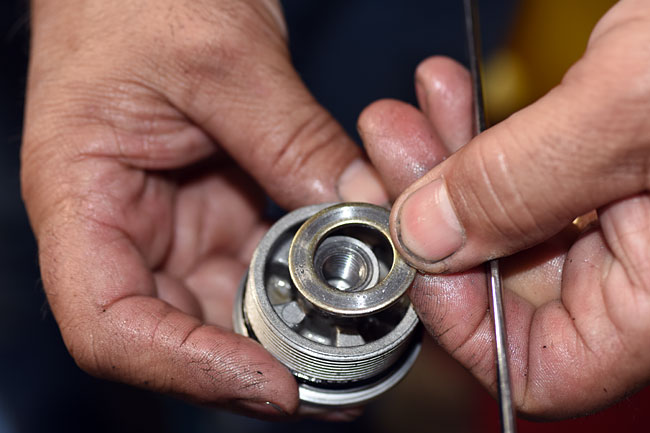
Put a wrench on the bolt head inside the fork spring, and unscrew the fork cap from the fork rod that runs though the center of the fork spring.
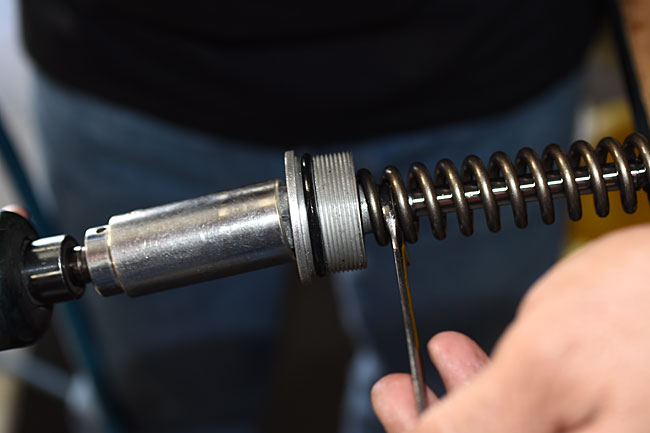
Forks_0031-650

The fork cap and its washer will separate from the fork rod.
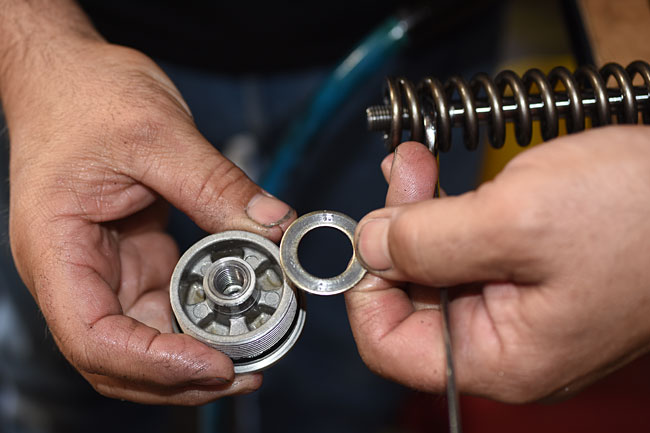
Forks_0032-650

Forks_0033-650

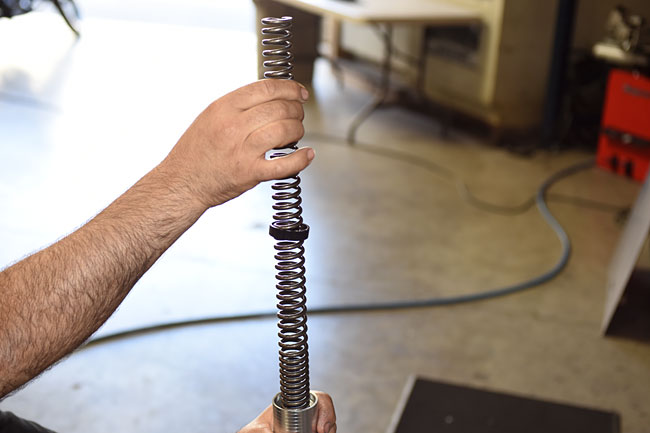
Pull the fork spring completely out of the fork.   Note that the fork spring is a compound spring.  The more tightly wound coils always go toward the lower end of the fork, as you see in the photo below.
Forks_0034-650

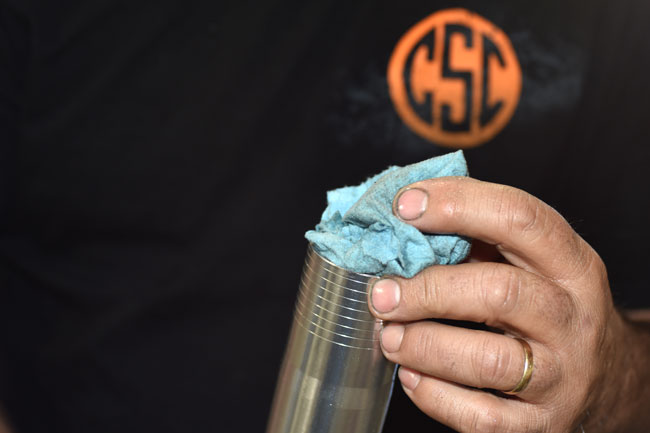
At this point, put a shop rag or a paper towel in the opening at the top of the fork (where the fork cap was).    There will still be residual oil in the fork and this will keep it from making a mess.
Forks_0036-650

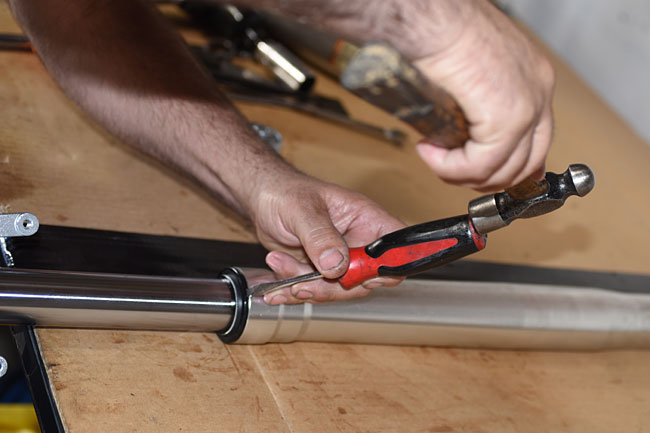
The next step is to remove the dust seal, and this calls for a light touch.  Use a fine bladed screwdriver (or something similar) and gently tap the dust seal away from the fork upper tube.   Work gently around the periphery of the dust seal, as you see Rich doing in the photo below.   If you get careless here and gouge the fork or damage the dust seal, you’ll need to replace those parts.
Forks_0038-650

Forks_0039-650

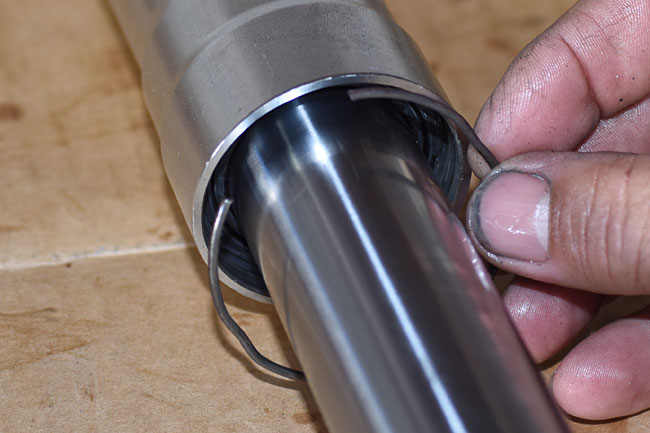
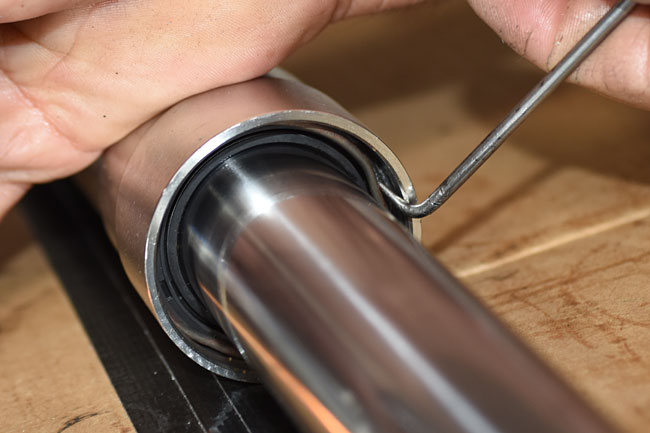
Once the dust seal has been removed, you need to reach inside the fork upper with a pick.  You’ll see a raised area in the clip that secures the fork seal in place.  Gently place the pick inside the raised area of the clip, and push inward and toward the opening.   The clip will release.  Remove the clip from the fork.
Forks_0041-650

Forks_0043-650

Now we can pull the fork lower out of the fork upper.   This is not easy.   What you see Rich doing in the photo below is using the fork lower as a jack hammer.   Pull it sharply away from the fork upper while holding the fork upper.  You’ll have to repeat this several times to get the fork lower out of the fork upper.
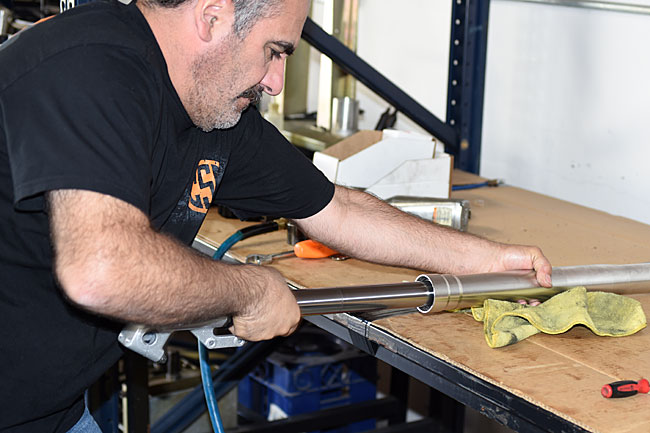
Forks_0047-650

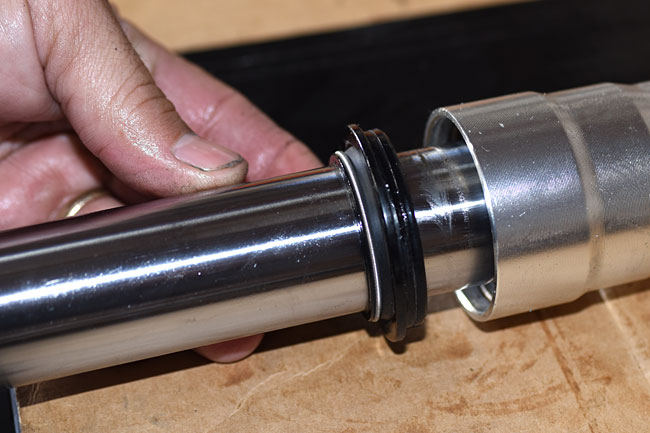
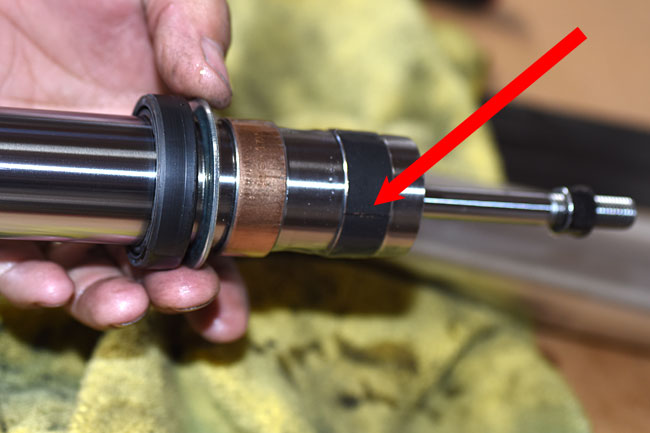
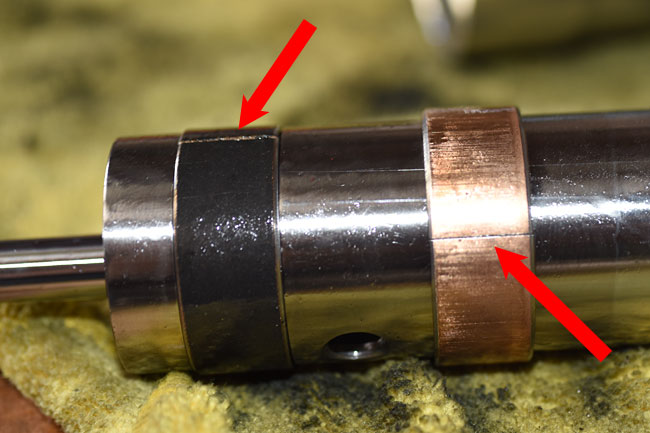
After you have separated the fork lower from the fork upper, it will look like this.  Note that there are two circular flat clips around the diameter of the fork lower.  These are slider bearings; one is black in color; the other is bronze.  These keep the fork centered in the tube.  Each bearing has a slit in it to allow expanding the bearing so that it can be removed from the fork lower.  The red arrow points to the slit in the upper bearing.  It’s barely visible and it is a fine slit.
Forks_0049-650

Here’s another photo showing the slits in both bearings.
Forks_0053-650

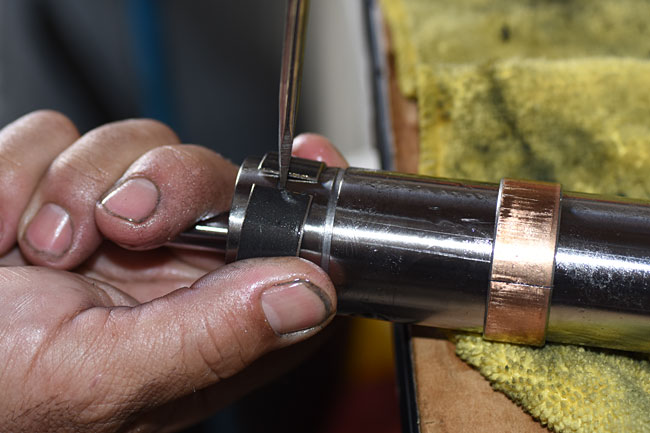
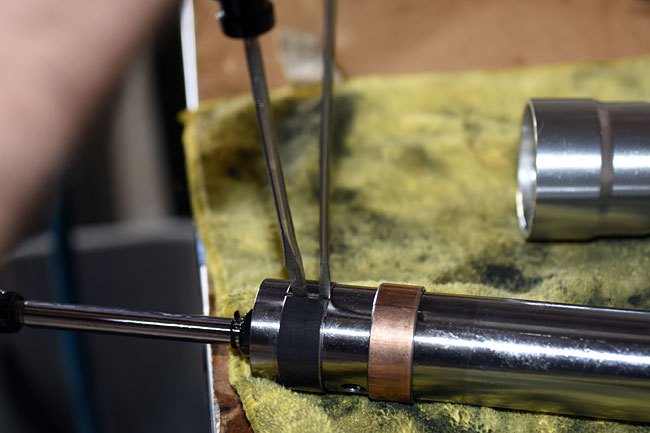
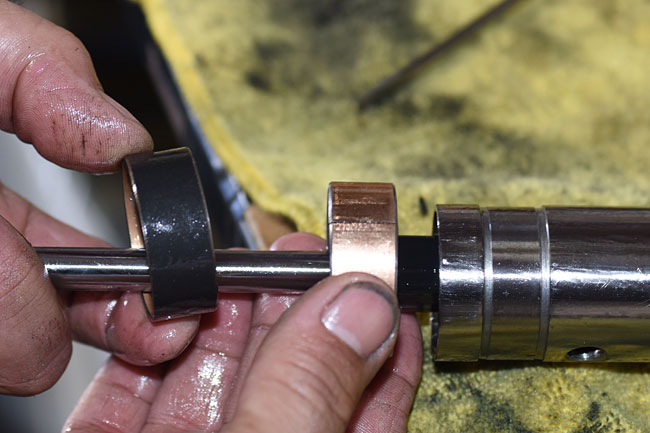
The upper bearing (the black one) rests in an annular groove machined into the fork lower.   We have to expand this bearing diametrically to get it off the fork lower.   Rich did this using a very fine-bladed screwdriver (the one on the right in the photo below) to start the expansion process.  Once he opened the bearing a tiny bit with the fine-bladed screwdriver, he inserted a larger screwdriver.  This allowed expanding the bearing so that it could get out of the fork lower machined annular groove and off the fork lower.   Don’t carried away with this expansion.  The trick is to expand the bearing just enough to get it out of the groove.
Forks_0055-650

Forks_0057-650

After getting the upper bearing off, slide the lower bearing off.
Forks_0059-650

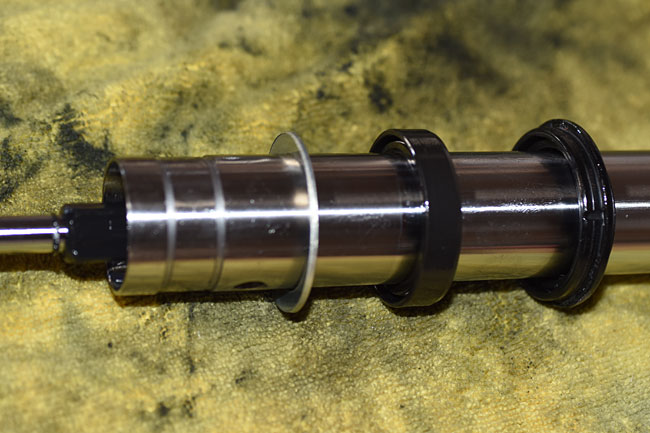
At this point, the fork lower will look like the photo below.
Forks_0062-650

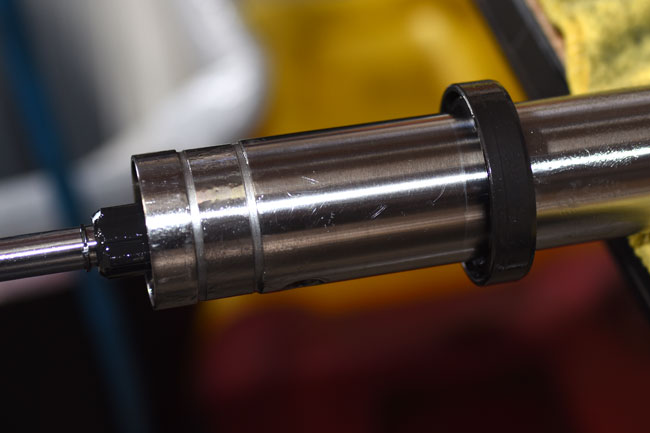
We’re almost done, but not quite.  The challenge now is to get the fork seal over the annular groove without damaging it.  If the seal is leaking and we already know it is defective, we don’t care about getting the fork seal off without damaging it (we’re going to replace it anyway).  But if we are taking the forks apart for any other reason, we need to be careful.   We similarly need to be careful when installing a new seal.   Those edges are sharp, and if we’re not careful, we’ll damage the new seal and have to start all over again.  Some folks use thin plastic (e.g., from a baggy) to cover the annular groove’s edge when removing or installing a new fork seal.  Another suggestion from one our customers is to use electrical tape to cover the annular groove while sliding the seals off of the fork leg.
Forks_0060-650

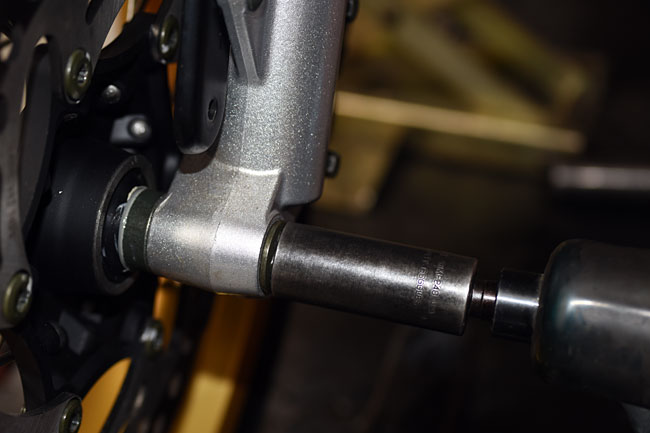
After removing the fork seal and the dust seal, examine both carefully for any cuts, tears, or degradation.   If there’s even a hint of damage, replace the defective part.   You should also examine the fork lower (which is the part that slides through the dust seal and the fork seal).  If there are any scratches, gouges, or surface imperfections on the portion of the fork lower that slides through the seals, you need to either polish the imperfections out or replace the fork lower.  If you don’t, you’ll just create another leak.

Assembly is the opposite of the disassembly procedure.    After you’ve reassembled the forks, make sure all fasteners are tightened in accordance with the torque table in the CSC RX3 Service Manual torque specification table.

There’s a fair amount of work involved in fork repair (this is one of our longer maintenance tutorials), but it’s a lot less expensive doing it yourself.   And my guess is you’ll reach the same conclusion I have when working on these motorcycles.   We’ve posted 10 or 11 maintenance tutorials now, and one of the things that has impressed me greatly with the RX3 is just how fine a motorcycle it is.   The quality of the internal parts is just awesome.   I used to run factories and machine shops making high performance military aircraft and weapons systems, and the workmanship exhibited in the RX3 is every bit as good as what we built for the US Department of Defense.

Like always, when you finish servicing your motorcycle, go for a ride.   You’ll feel better, secure in the knowledge that your forks were serviced correctly.
 

Posted in CSC Motorcycles | Comments Off on Fork Maintenance

Front Wheel Removal

I’ve received emails asking about more detailed instructions on front wheel removal.   We covered rear wheel removal with our tutorial on fixing flats, but not front wheel removal.   Hey, you speak, we listen, and here we go!

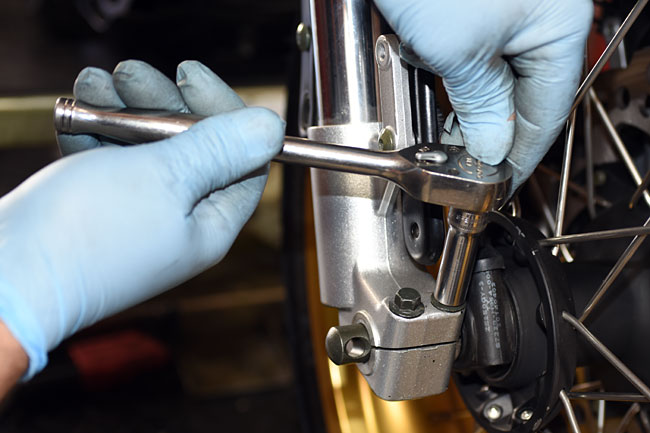
The first step in removing the front wheel is to remove the front axle bolt.  It’s on the left side of the motorcycle.  The axle won’t come out yet (it’s secured by the pinch bolts on the right side of the motorcycle).

Forks_0004-650

Forks_0005-650

The next step is to lift the front end of the bike off the ground.   If you have our accessory centerstand, the front wheel will be off the ground when the bike is on the centerstand.   If you do not have a centerstand, you need a bike lift or some means of safely lifting the front wheel off the ground.

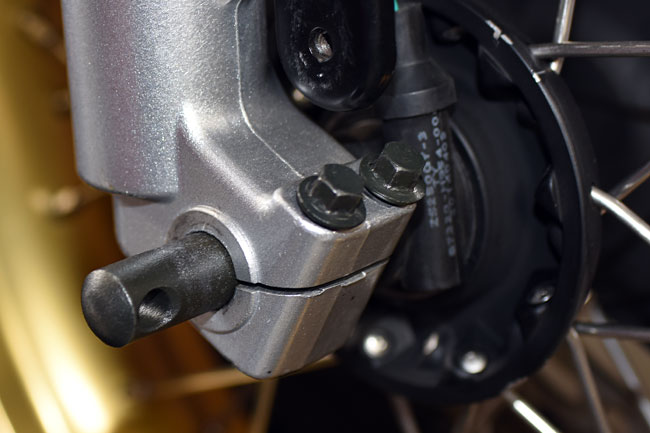
Once the front wheel is off the ground, loosen the two pinch bolts on the right side of the motorcycle.  You don’t need to remove them; just loosen them.

Forks_0006-650

Forks_0007-650

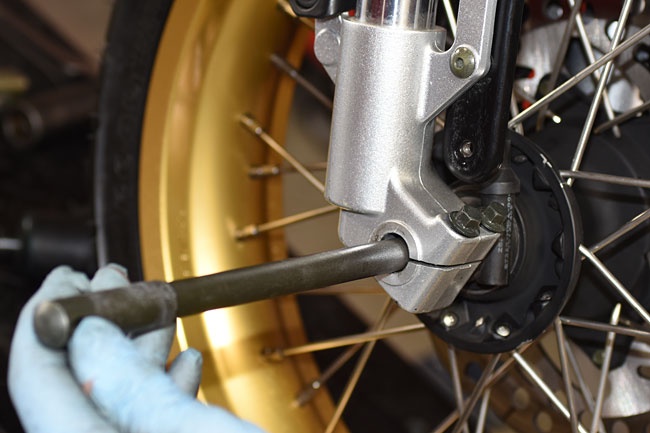
Slide the front axle out on the right side of the motorcycle.

Forks_0008-650

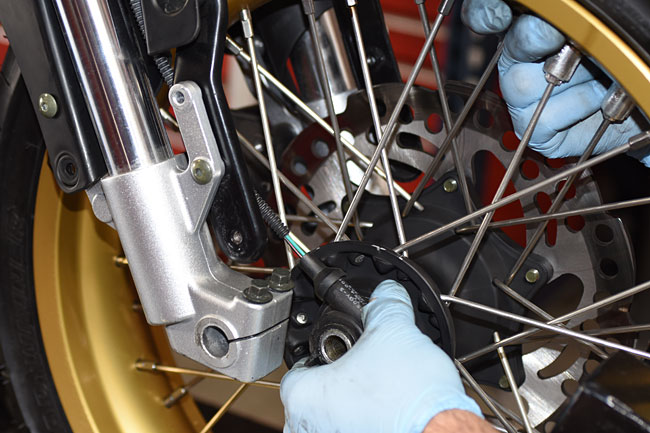
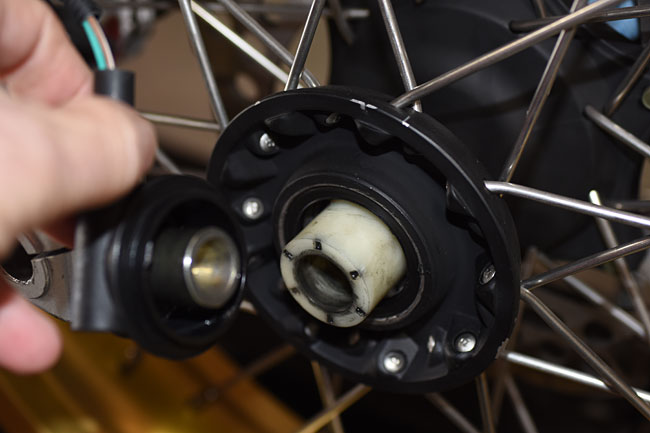
Roll the front wheel forward a short distance and remove the speedometer drive from the right side of the front wheel hub.

Forks_0011-650

Forks_0013-650

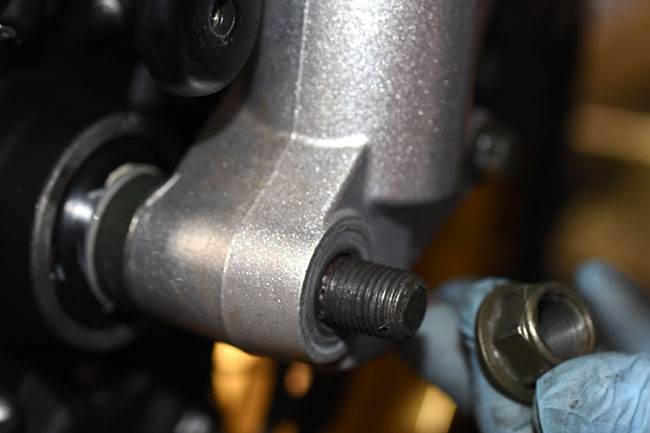
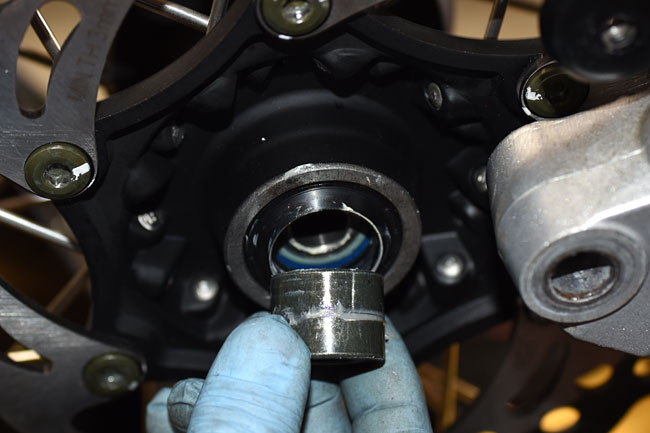
You can now remove the front wheel.   Note that there is only one bushing, and that is installed on the left side of the front wheel hub (it is captured between the left fork and the wheel hub).

Forks_0014-650

Front wheel installation is the reverse of front wheel removal.   A word of caution:  When reinstalling the speedometer drive unit, make sure that the tab in it fits into the slot on the front wheel.

One more note:  I’ve been using one of our test mules for a few of these tutorials, and several of you have written to ask me about the gold anodized wheels.   We’re working the RX3 accessories line, and these are wheels we have in the development process.   They are not yet available, so bear with us.  As soon as they are, we’ll post info right here on the blog.

A few others have suggested we include torque specifications.   We’ll have a torque table in the RX3 Service Manual, and as those of you buying a bike already know, that’s a freebie.   You buy a bike from us and you get the Service Manual for free.

Time to go for a ride, folks!


Posted in CSC Motorcycles | Comments Off on Front Wheel Removal

Air Filter Maintenance

This maintenance tutorial is on getting to and cleaning the RX3 air filter.   You should clean the air filter every 2000 miles, or more often if you ride in dusty environments.

The first step is to remove the seats.   You might be able to get the air filter out with the seats in place, but it’s a lot easier if the seats are off the bike.  The rear seat pops off using the keyed seat release in the left side body panel.  The front seat is secured with two bolts at the rear.

Remove the left side body panel.   The RX3 now has a two-piece left body panel, which makes air filter removal far simpler than it was with the original one-piece left body panel.

_DSC0067

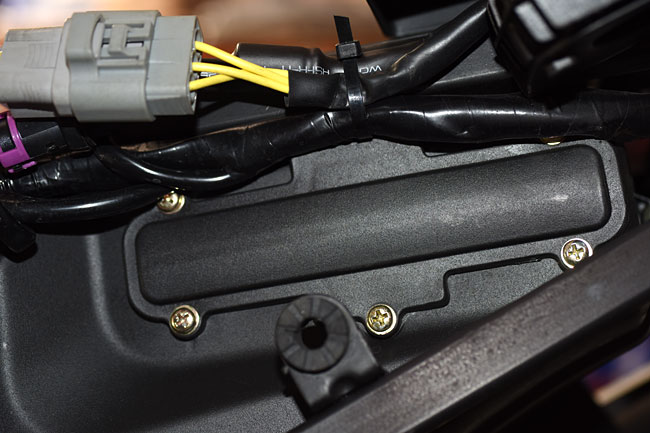
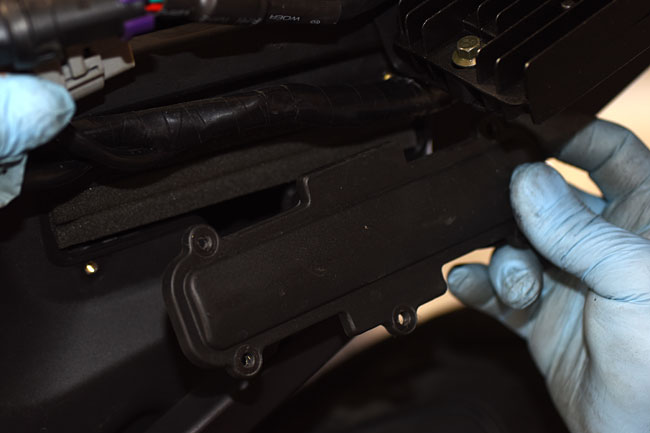
Once the body panel has been removed, you’ll have access to the air filter cover.   You will have to hold the electrical harnesses away from the cover to gain access to the five screws securing it.  Take care not to pull on the harnesses, as this can break the electrical connections.

Airfilter_0002-650

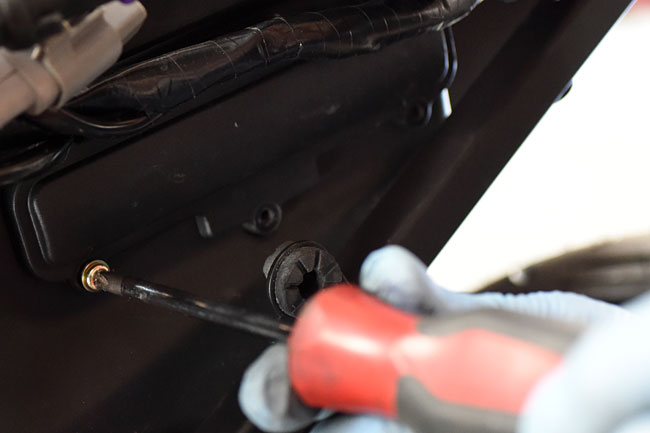
Remove the five screws securing the air filter cover and remove the cover.

Airfilter_0006-650

Airfilter_0007-650

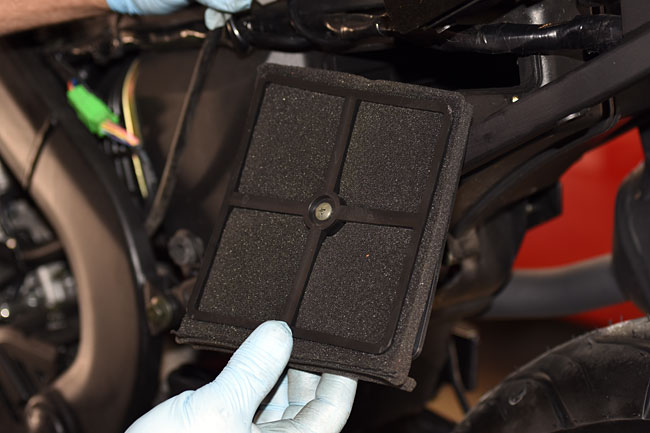
After removing the air filter cover, remove the air filter element subassembly by pulling it out.

Airfilter_0008-650

Airfilter_0012-650

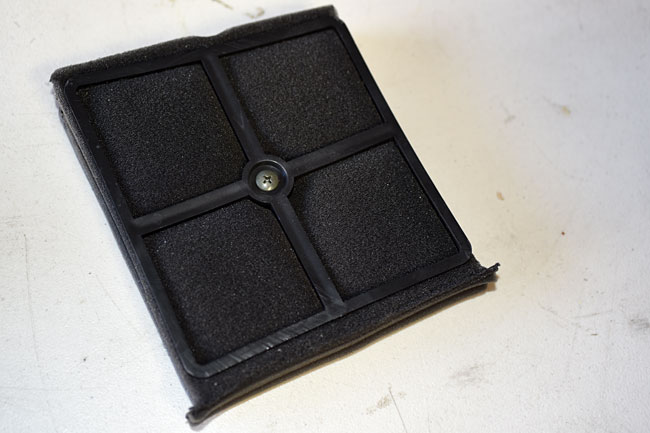
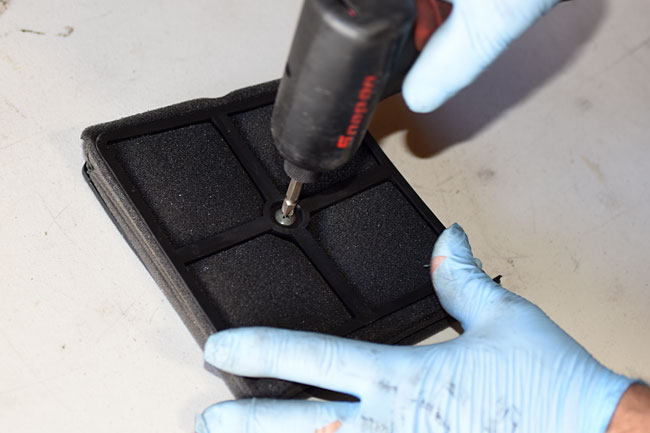
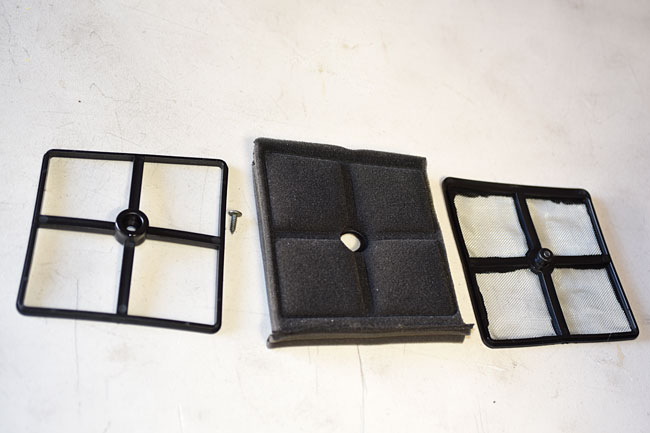
The air filter element subassembly consists of four pieces (the lower screen, the filter element, the upper frame, and the screw that holds these three items together.   Remove the screw to separate the four pieces.

Airfilter_0013-650

Airfilter_0014-650

Airfilter_0015-650

Airfilter_0016-650

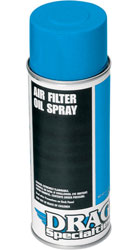
Drag-Air-Oil-250The filter element is a serviceable item.   We recommend washing the air filter element in a solution of Simple Green and water.

After washing the air filter element, allow it to dry completely.
After the filter has dried, apply a light coat of air filter oil.   We recommend Drag Specialties oil for this purpose.   You can purchase it from us by calling 909 445 0900.

After repeated washings, or if the air filter element ages, it will ultimately need to be replaced.   If you need replacement air filter elements, again, please give us a call and we’ll be happy to send them to you.

After washing and oiling the air filter element, reassemble the filter element subassembly.  Reinstall the air filter subassembly in the motorcycle, reinstall all components, and you are good to go.
One final word…some folks mistakenly believe their motorcycles will perform better if they take the air filter out.   Maybe that sort of thing made a difference 40 years ago or more, but the RX3 will perform much better with the air filter in place, and the engine will last a lot longer.


Posted in CSC Motorcycles | Comments Off on Air Filter Maintenance

Brake Maintenance

Our brake maintenance tutorial covers the following topics:

  • Adjusting the brake pedal free play.
  • Inspecting and replacing the brake pads.
  • Replacing the brake fluid.
  • Bleeding the brakes.
  • Inspecting and replacing the brake disks.

The RX3 has hydraulic disk brakes on both the front and the rear wheel.

Adjusting the Rear Brake Pedal

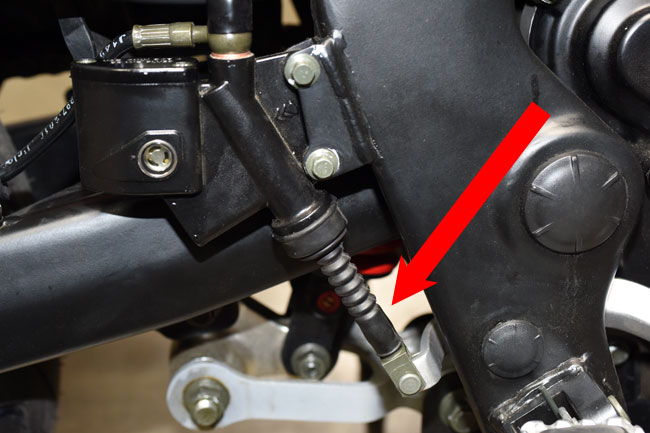
You should adjust the rear brake pedal to have 10 to 20 mm of free play.  The adjustment is made with a threaded adjustment shaft and locknut just below the rear brake master cylinder.   First, pull back the rubber grommet over the adjustment shaft.

brakes_0007-650

brakes_0005-650

Loosen the locknut, adjust the free play with the threaded adjustment shaft, and then tighten the locknut.

Inspecting and Replacing the Brake Pads

The front and rear disk brake utilize dual piston calipers.   You should replace the brake pads when either one has less than 1.5mm of pad thickness left, or if you the brake pads are worn such that the groove in the pad is no longer visible.   We stock the brake pads, so when you need a set, give us a call at 909 445 0900.

0-ServMan24Feb_0103-650

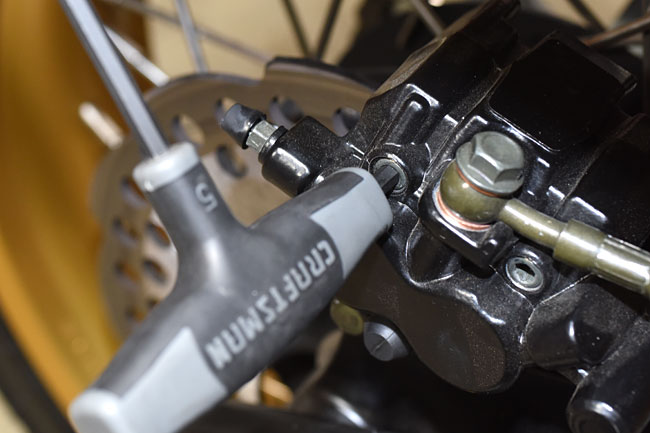
To remove the rear brake pads, loosen the rear brake caliper Allen bolts as shown in the photo below.

brakes_0010-650

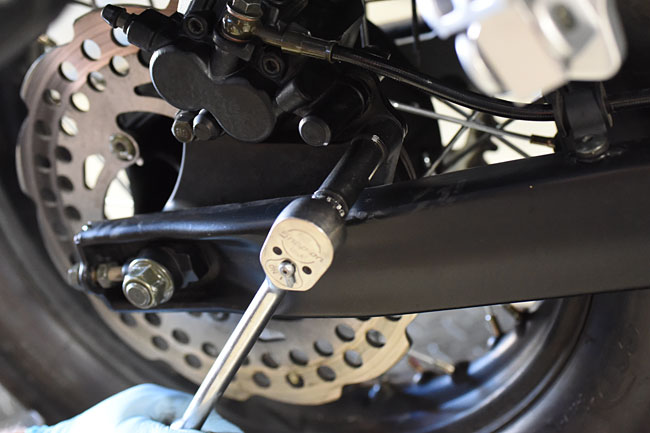
Remove the bolts securing the caliper to the swingarm.

ServMan24Feb_0072-650

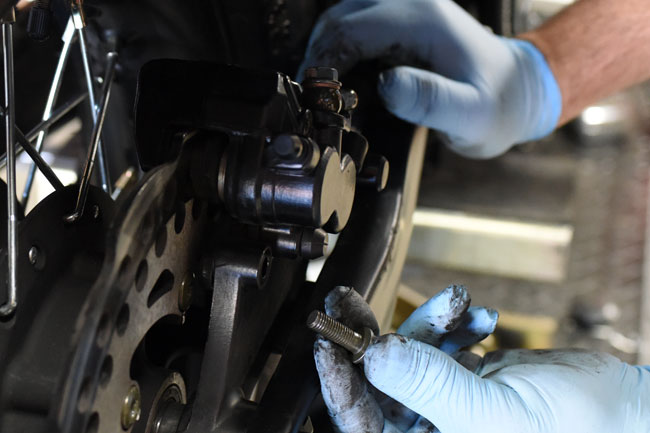
One the rear caliper bolts are removed, slide the caliper rearward, lift if off of the disk rotor, and then remove the Allen bolts holding the brake pads in place.

ServMan24Feb_0076-650

ServMan24Feb_0079-650

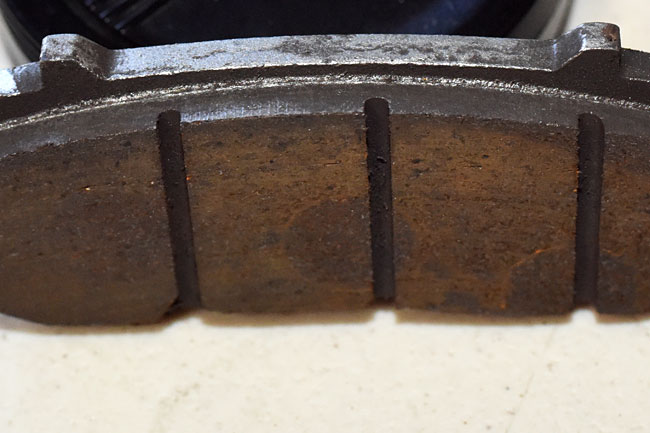
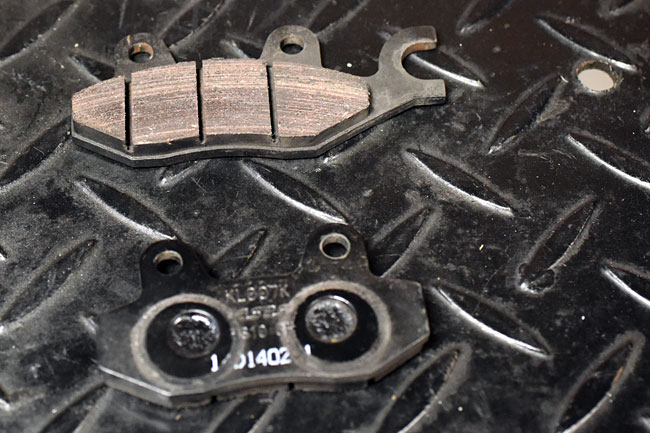
Once the caliper Allen bolts are removed, the pads will slide out.   Note that the pads are not identical; they must be installed in the correct orientation.  The pad with the large arm (shown at the top of the photo below) is opposite the pistons; the pad without the large arm is situated against the pistons.

ServMan24Feb_0082-650

Inspect the brake pads to determine if they are worn beyond their service limit (less than 1.5mm thick).  If the pads are worn such that the grooves are gone (visible as vertical slots in the photo above), the pads should be replaced.

Reinstall the Allen bolts in the caliper, position the caliper in its appropriate location, and install the caliper bolts to mount the caliper to the swingarm.  Tighten all fasteners.

Pump the rear brake pedal several times.   Operate the motorcycle to assure satisfactory rear brake performance.

The process for replacing the front brake pads is similar to that described above for the rear brake pads.    Loosen the front brake caliper Allen bolts, and then remove the front brake caliper mounting bolts.   Remove the caliper and then remove the Allen bolts from the caliper.   Inspect the front brake pads and replace if necessary.  Reinstall the Allen bolts, the front caliper, and the caliper bolts.  Tighten all fasteners.   Pump the front brake lever several times.   Operate the motorcycle to assure satisfactory front brake performance.

Replacing the Brake Fluid

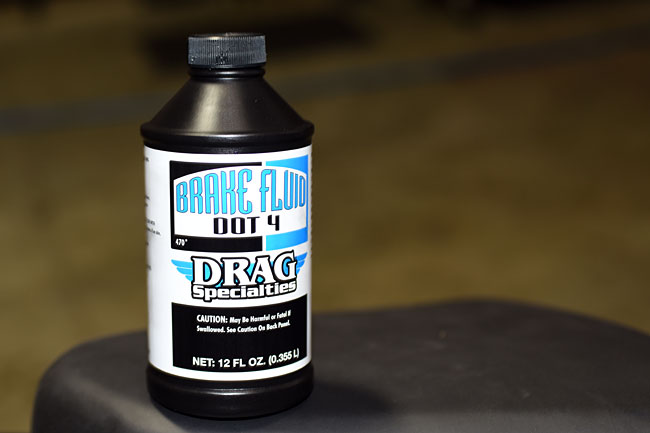
You should replace the brake fluid in the front and rear master cylinders every 2 years.   Use only DOT 4 brake fluid.  We recommend Drag Specialties brake fluid, and if you call us at 909 445 0900, we will ship a container to you.

Brakes20140227_0011-650

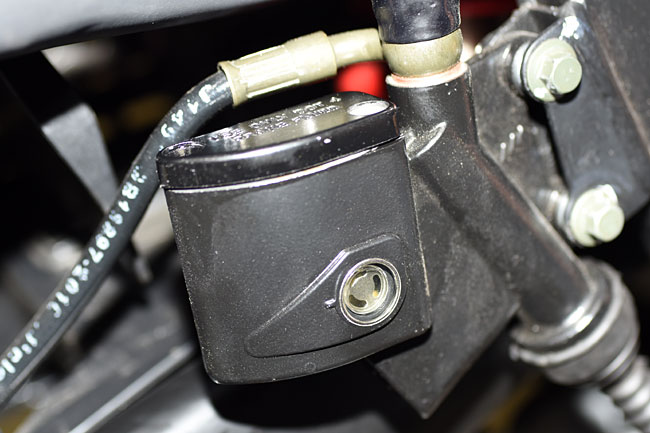
The procedure shown here is for the rear master cylinder; the front master cylinder is performed in a similar manner.

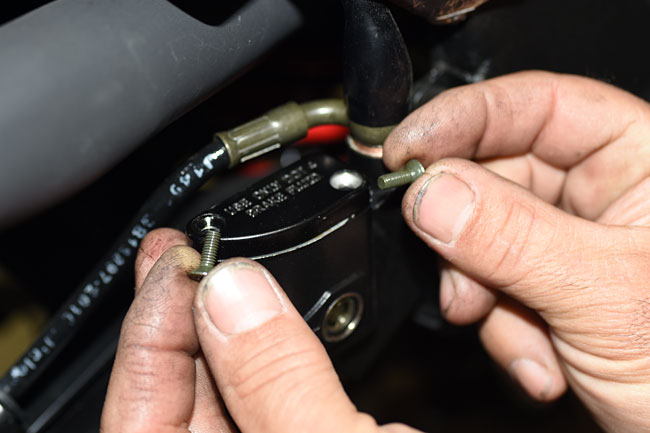
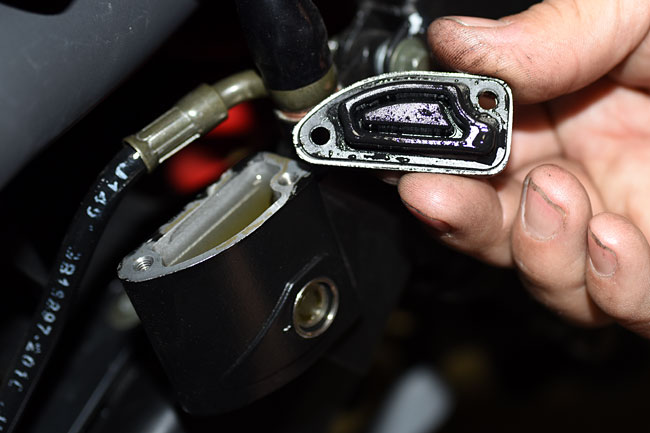
Open the master cylinder by unscrewing the two screws securing the master cylinder cover.   Remove the master cylinder cover and place it in an area where it will not become contaminated.

Brakes20140227_0002-650

Brakes20140227_0001-650

Brakes20140227_0003-650

Using a turkey baster or other suction device, remove as much of the brake fluid in the master cylinder as possible.   Exercise caution to prevent any brake fluid spillage.  If any spillage occurs, wipe up the spilled brake fluid immediately (it will damage painted or plastic surfaces).

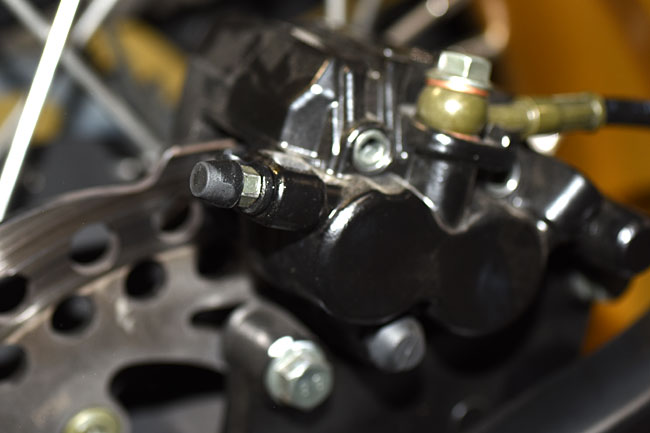
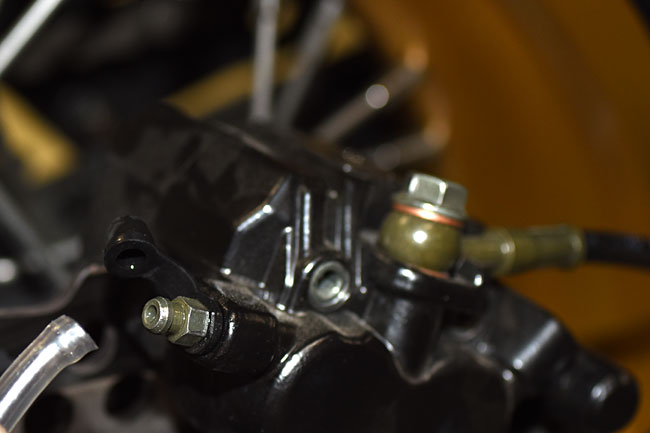
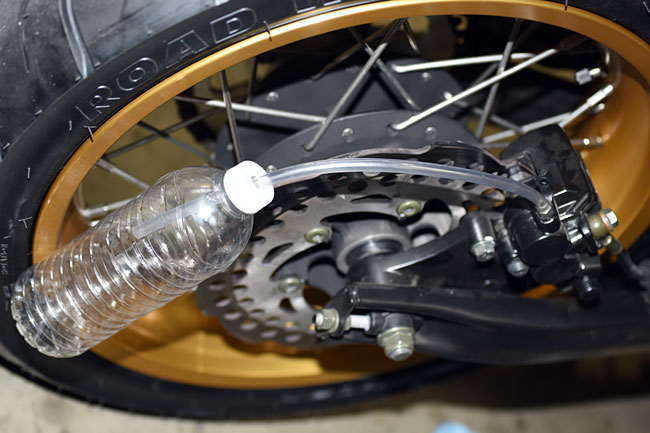
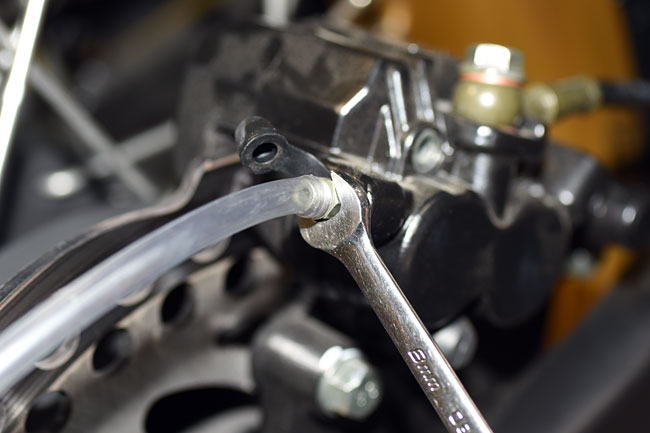
Remove the caliper bleed cap and attach a small diameter tube to the caliper bleed fitting.   Route the tube to a receptacle.

Brakes20140227_0012-650

Brakes20140227_0014-650

Brakes20140227_0005-650

Add fresh brake fluid to the master cylinder.

Open the caliper bleed fitting by unscrewing it slightly (turn it counterclockwise to do so) and depress the brake lever to pump brake fluid out through the caliper bleed fitting.   Prior to allowing the brake lever to return, close the caliper bleed fitting by turning it clockwise.

Brakes20140227_0006-650

Brakes20140227_0007-650

Repeat the process until fresh brake fluid exits the caliper.

Close the caliper bleed fitting and replace the caliper bleed fitting cap.

Add brake fluid to the master cylinder such that the upper level is within 1/8-inch of the top (do not overfill the master cylinder).

Replace the master cylinder cover and the screws securing it to the master cylinder.  Tighten the screws.

Pump the rear brake pedal several times.   Operate the motorcycle to assure satisfactory rear brake performance.

Bleeding the Brakes

If air gets into the brake lines, braking performance will be diminished.   You should bleed the brakes any time the brakes feel spongy or soft, or if the brake fluid drops below the level of the master cylinder view port.   Before you bleed the brakes, you should isolate and correct any leaks.  Again, use only DOT 4 brake fluid.

The procedure is similar to the procedure for replacing the brake fluid.  Open the master cylinder by unscrewing the two screws securing the master cylinder cover.   Remove the master cylinder cover and place it in an area where it will not become contaminated.  Remove the caliper bleed cap and attach a small diameter tube to the caliper bleed fitting.   Route the tube to a receptacle.    Open the caliper bleed fitting by unscrewing it slightly (turn it counterclockwise to do so) and depress the brake lever to pump brake fluid out through the caliper bleed fitting.   Prior to allowing the brake lever to return, close the caliper bleed fitting by turning it clockwise.  Add brake fluid to the master cylinder as necessary.  Repeat the process until the brake fluid exiting the caliper is free of air bubbles.   Close the caliper bleed fitting and replace the fitting cap.  Add brake fluid to the master cylinder such that the upper level is within 1/8-inch of the top (do not overfill the master cylinder).    Replace the master cylinder cover and the screws securing it to the master cylinder.

After completing the above, pump the rear brake pedal (if you are bleeding the rear brake) or operate the front brake lever (if you are bleeding the front brake) several times.   Operate the motorcycle to assure satisfactory brake performance.

Inspecting and Replacing the Brake Disks

You should replace any brake disk that is worn below service wear limits or if the disk is warped.    You can measure disk thickness and straightness without removing the wheel from the motorcycle.  You will, of course, need to remove the wheel if you replace the brake disk.

Use a caliper (i.e., a measuring device; not the brake caliper) to measure disk thickness.  If the disk is less than 2mm thick, replace the disk.

Use a dial indicator with the wheel off the ground to measure disk runout.   Spin the wheel and measure runout.   If the runout exceeds 0.3mm, replace the disk.   You only need to do this if the disk appears to be visibly warped (which is not likely) or if the brakes pulsate when applied.   It’s not likely you’ll ever experience this; in 50 years of riding motorcycles, I never have.

You will have to remove the wheel in order to replace the disk.  Refer to our maintenance tutorial on fixing a flat tire for instructions on how to remove the wheels.

DSC_0356_0012-650

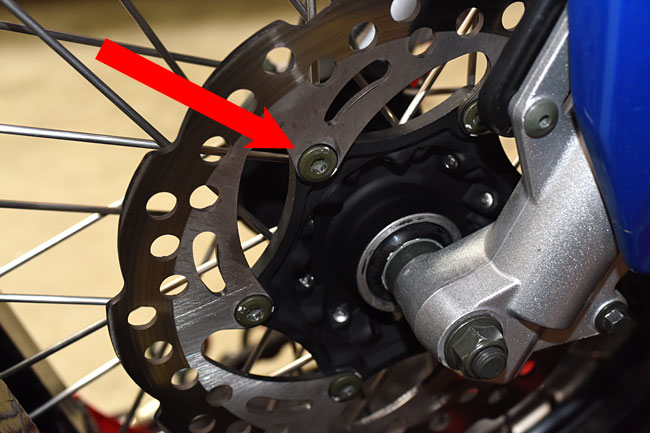
Each disk is secured with 6 Allen bolts.   Use blue Loctite when reinstalling the bolts that secure the brake disk.

And that’s about it, folks.   Time to get out and go for a ride!

_DSC0069-650

See you on the road!


Posted in CSC Motorcycles | Comments Off on Brake Maintenance

Clement Salvadori speaks…

BlueRX3GRR

Blue is my color, boys and girls.   I made that decision today.   Blue photographs well, and Clement Salvadori helped me decide.   Let me explain how this came about.

Clement Salvadori is one of the world’s great motojournalists.   I’ve been reading his work for years in different motorcycle magazines and books, so you can imagine how good it felt to learn that he had good things to say about the RX3 in this month’s issue of Rider magazine…

Now, about that CSC Cyclone….a quite presentable 250cc single-cylinder version of an adventure-touring motorcycle, with saddlebags, small fairing, skid plate, and the rest.  For a very reasonable $3495.

Is a 250 too small to go touring?  Not at all.   My first bike was a 250, which I rode one summer over much of Western Europe, including the Alps.

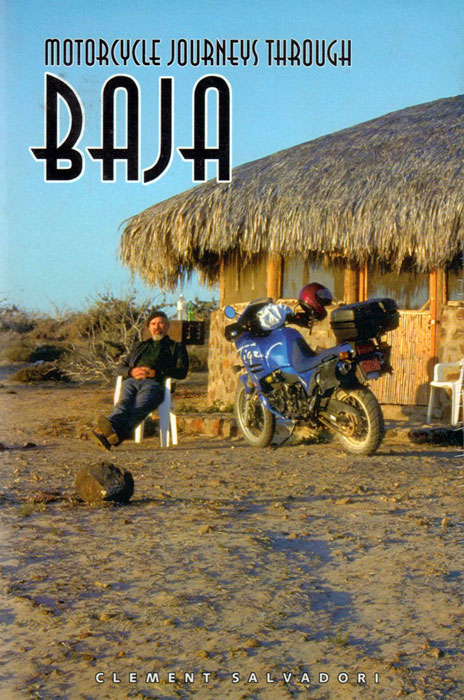
When I first started exploring Baja, one of the books I studied was Clement’s classic Motorcycle Journeys through Baja.   He knows more about Baja than I ever will, and I diligently read and reread what he had to say about this land of mystical  mountains and magnificent motorcycling.

Let me explain just a bit of the influence Clement’s writing has had on me.   See that blue Triumph Tiger on the cover of Clement’s book?

ClementSalvadoriBajaW&D

In the book above, Clement rode a first generation Triumph Tiger (the first generation of the modern Triumphs, that is), and that image of rolling through Baja on a blue Tiger stuck in my mind.

Blue became my color.   When I convinced myself I needed a Tiger, there was no question what color it would be…

I thought about my inbound RX3 again and what color I want.   What else could it be?   Mine will be blue, unless, of course, we run out of blue bikes in this shipment.  In that case, one of you folks will get it and I’ll take yellow…

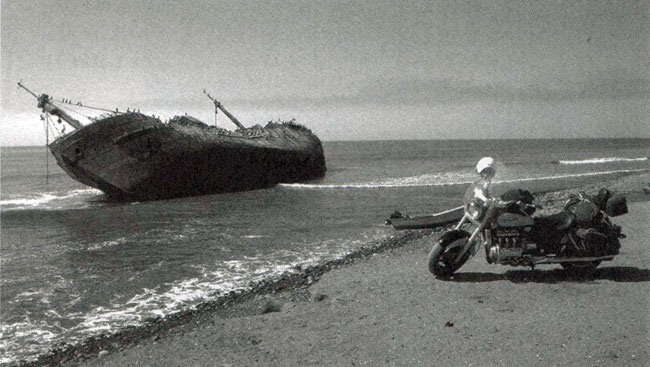
So, back to Motorcycle Journeys through Baja.   Mr. Salvadori’s book covers the entire Baja peninsula and many of its hidden wonders.   One of these is the Isla Del Carmen, a shipwreck off the Pacific coast of Baja’s San Jacinto.   Most folks never see it (San Jacinto is way off the beaten path…you can’t get to it without riding in the dirt).

Here’s a scan of Clement’s photo from the book…

Isla-Del-CarmenW&D

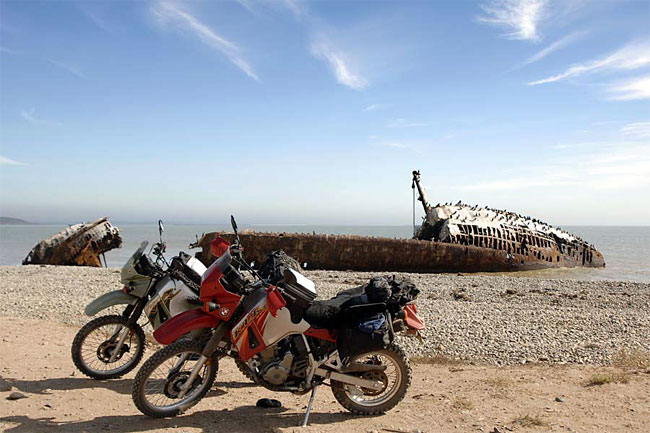
In 2009, my buddy Primo and I made the trek through the soft sand and dirt on our KLRs to get to San Jacinto (a place neither of us had ever been to before), and yes, I grabbed my own photo of the Isla Del Carmen with our bikes…

KLRIslaDelCarmen

That was a hell of a ride (you can read about it here).  The high points were that photo above and a mean old Mexican dog who thought I was his dinner (yeah, I got bit).   Ouch!

I had a nice conversation with Clement yesterday, and trust me on this, I’m going to get him on the RX3.   Watch the blog, folks, and you may just see a photo of Clement Salvadori on your favorite motorcycle in my favorite place for an adventure ride (and that would be, of course, Baja).

In the meantime, make sure you pick up a copy of this month’s Rider magazine.   You can read Clement’s “Road Tales” column (in which the RX3 figures prominently), and it just so happens there’s a nice article in the same issue about Baja.  If you really want to get the straight scoop on Baja, though, you should pick up a copy of Motorcycle Journeys through Baja.   It’s required reading for those of you coming along for the Inaugural Baja Run with us.   Even if you’re just thinking about joining us, Clement’s book is a “must read” bit of first class moto literature.   You can order your own copy here.

Oh, and one more plug…remember those photos I put on the blog a month or so ago from Bisbee, Arizona?    I took that trip for Motorcycle Classics magazine (I write many  of their “Destinations” pieces), and you can read my article about Bisbee right here.    Make sure you pick up your copy of Motorcycle Classics magazine this month, too!


Posted in CSC Motorcycles | Tagged , , , , , , , | Comments Off on Clement Salvadori speaks…

Clutch Maintenance

This maintenance tutorial addresses four areas:

  • Clutch cable lubrication.
  • Clutch cable replacement.
  • Clutch adjustment.
  • Clutch replacement.

I’ve been riding for more than 50 years.  I’ve only ever needed to replace a motorcycle clutch once, and I’ve never needed to replace a clutch cable.    Having said that, I always carry a spare clutch cable on my forays into the boonies (it’s just cheap insurance).   I’ve lubed plenty of clutch cables, and I’ve adjusted the clutch on virtually every motorcycle I’ve ever owned.   All of this is good stuff to know.

Clutch Cable Lubrication

Clutch cables are easy to lube.   All you need to do is to disconnect the cable at both ends (the clutch lever on the left handlebar, and the clutch input lever on the left side of the engine), and then get lubricant into the clutch cable sheath so that it lubricates the wire portion of the cable.

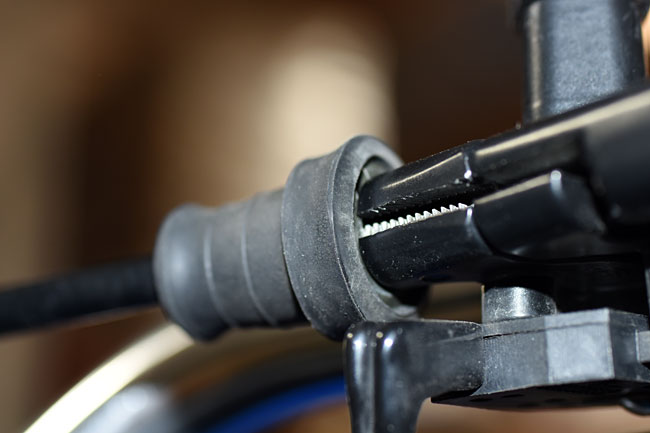
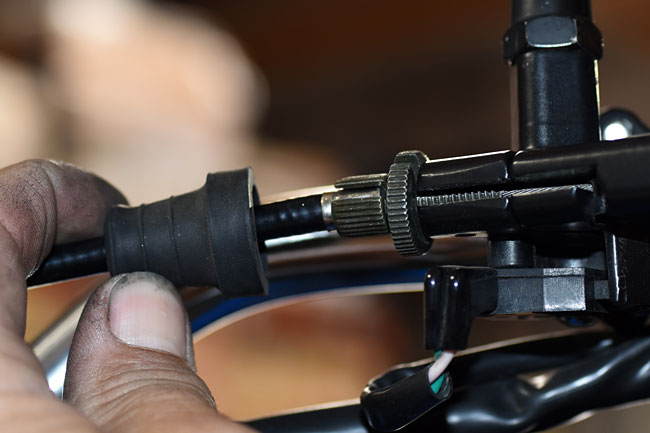
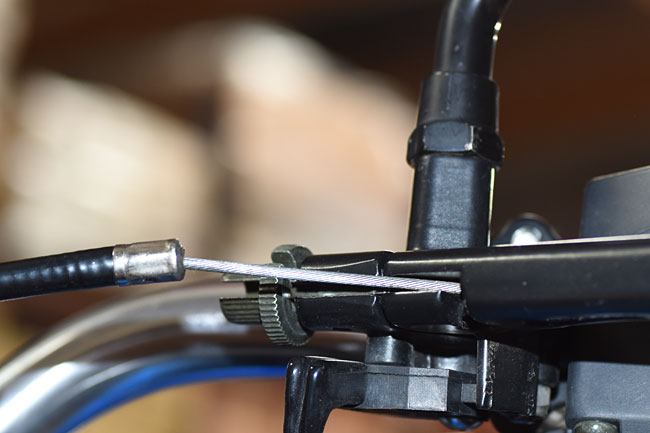
To disconnect the cable at the handlebar clutch lever, pull back the rubber grommet to expose the clutch lever knurled adjustment knob and knurled lock nut.

Clutch_0041-650

Clutch_0042-650

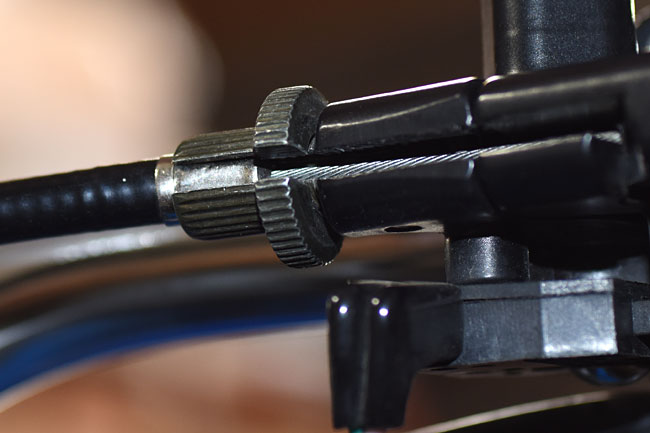
Loosen the knurled lock nut, and then fully screw in the knurled adjustment knob.   Align the slots in the knurled adjustment knob and the knurled lock nut, as you see in the photo below.

Clutch_0043-650

Find the other end of the clutch cable where it attaches to the clutch lever on the engine case.  It’s on the left side of the engine behind the cylinder and above the shift lever.

Clutch_0044-650

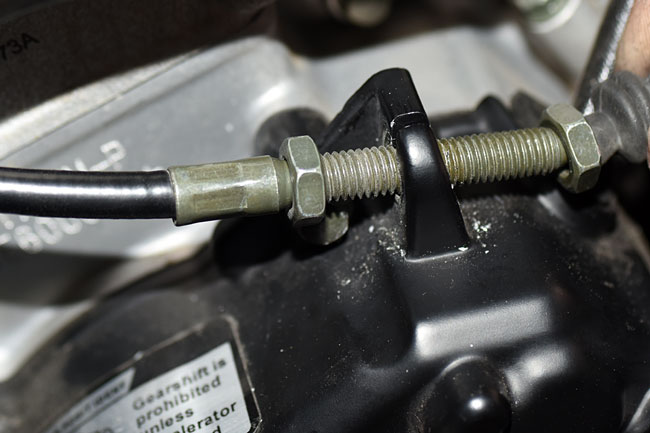
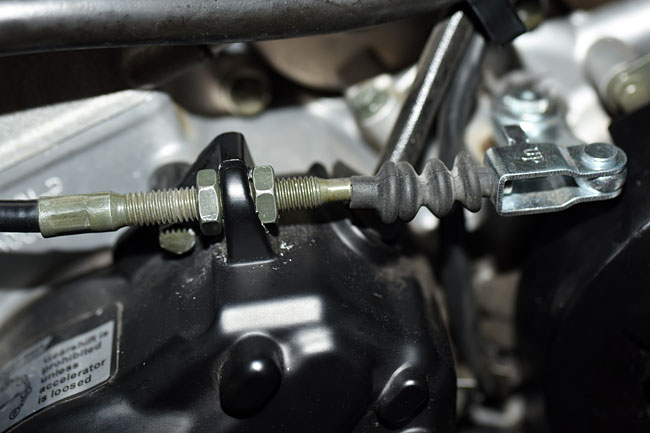
Loosen the lock nuts on the threaded adjustment mechanism and move it forward to gain more slack in the cable.

Clutch_0049-650

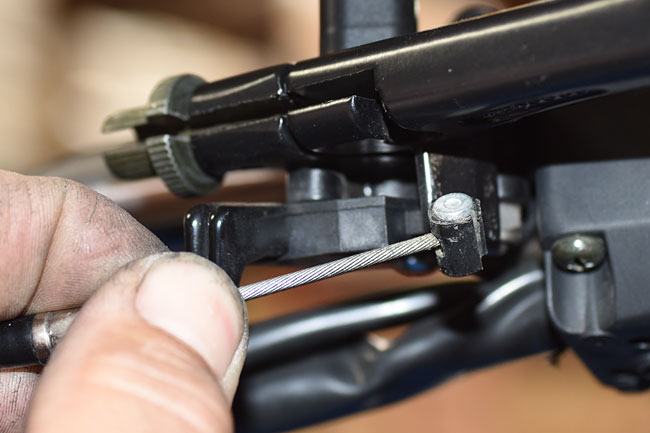
Once you have enough slack in the clutch cable, you can remove the cable sheath from the knurled adjustment knob at the handlebar end of the cable, and slide the clutch cable out.  This will allow pulling the cable forward and sliding the cable head out of the clutch lever.

Clutch_0050-650

Clutch_0051-650

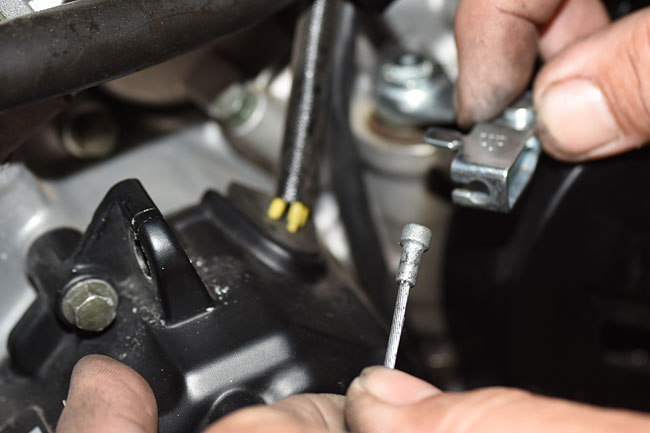
Similarly disconnect the clutch cable at the engine end, as shown in the photos below.

Clutch_0052-650

Clutch_0053-650

Clutch_0054-650

At this point, you have the cable disconnected at both ends, and you can manually slide the wire cable up and down in the cable sheath.   Inspect the wire cable at both ends.  If any of the cable’s wire strands are frayed or broken, it’s time for a new cable (we’ll cover that in the next section).

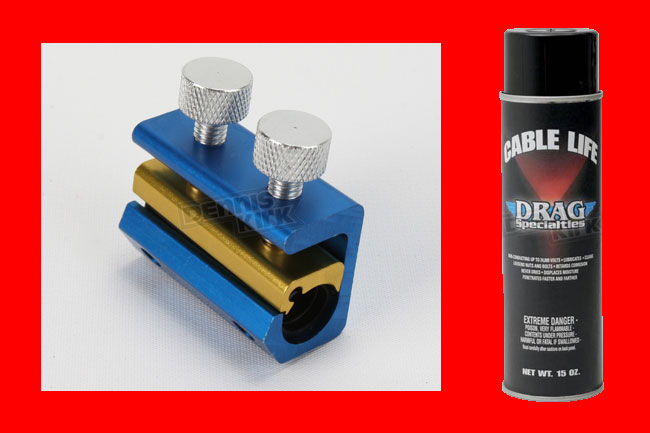
Assuming the cable is good and does not need to be replaced, point the clutch cable up at the handlebar end, and work the cable up and down in its sheath as you lubricate it.    We recommend Drag Specialties clutch cable lube.   You need a can of this (give us a call at 909 445 0900, and we’ll shoot a one out to you).  Getting the lube down into the cable sheath can take a little while doing it the way described above.  If you want to be a bit more efficient (and a lot less messy), use a mechanical attachment that directs the spray lube into the cable sheath.   The idea behind this tool is that it forms a seal around the end of the sheath and forces the lube into it.   We like the Dennis Kirk cable lubricator, and we also stock those.  Give us a call and we’ll send that to you, too.

Lubes

You’ll know you’ve lubed the cable adequately when you see the lubricant emerge from the cable sheath at the other end of the cable.   When you’re finished lubricating the clutch cable, reattach it at both ends and adjust the clutch so that you have 10mm to 20mm of free play at the clutch lever tip.  We’ll cover the clutch adjustment process in more detail a little further down in this tutorial.

Clutch Cable Replacement

This is a fairly straightforward operation.   If the clutch cable is frayed, if it feels snatchy or grabby even after you’ve lubricated it, or if it snaps, you need a new clutch cable.   As I mentioned above, I always carry a spare cable.    We stock the clutch cables, and my advice to everyone is buy a spare, tuck it away in your motorcycle’s luggage, and hope you’ll never need it.   It’s cheap insurance.

If you need to replace the clutch cable, disconnect it at both ends as described above.  Take a good look at how the cable is routed through the motorcycle before you remove it.   A trick I’ve seen other folks use is to tape the upper end of the new cable to the lower end of the old cable, and use the old cable to pull the new one into place when you remove the old cable.  Before doing that, though, I recommend that you lube the new cable first.  If it’s been in your saddlebag for a couple of years or more, it’s probably picked up some dust.

After you have the new cable in place, connect both ends and adjust the clutch.  We’ll explain how to do that in the next section.

Clutch Adjustment

There are two areas in which adjustments can be made to the clutch.  These are the lower end of the clutch cable (where it attaches to the lever on the engine case), and the upper end of the clutch cable (where it attaches to the lever).

We recommend setting up the lower end of the clutch cable adjusting mechanism so that it is about in the middle of its adjustment range, as shown in the photo below, such that all of the slack is removed from the clutch cable sheath.   That’s the primary function of the lower end of the clutch cable adjusting mechanism.

Clutch_0046-650

Once you’ve done that, adjust the knurled adjustment know at the handlebar clutch lever such that there is about 10mm to 20mm of free play at the end of the clutch lever.   When you’ve done that, lock the knurled adjustment knob in place with the knurled lock nut.   Pull the rubber grommet back over the adjustment mechanism, and you’re done.

Clutch Replacement

If you change your oil regularly and you use the right kind of oil, and if you don’t abuse your bike, your clutch will last a long time.   If you abuse your clutch by using it as a hill holder or by popping wheelies, it won’t last a long time.  If the clutch is grabby or if it slips, and you can’t fix it by changing the oil or by adjusting the clutch, you need a new clutch.

Installing a new clutch sounds ominous, but it’s really not that big a deal.   Let’s take a look.

The first step is to drain the engine oil.  You can see how to do this in our oil change maintenance tutorial.

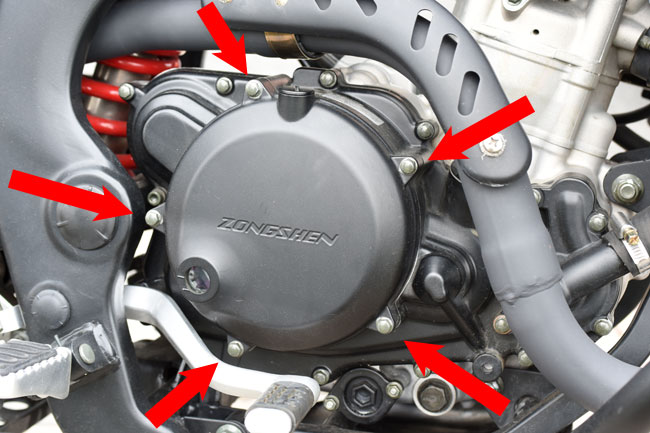
Remove the clutch cover by unbolting the five bolts securing it to the engine.

Clutch_0015-650

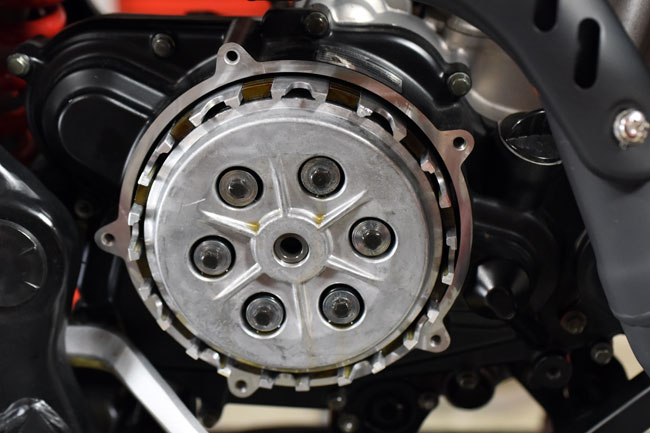
When you’ve removed the clutch cover, the clutch will look like this.

Clutch_0017-650

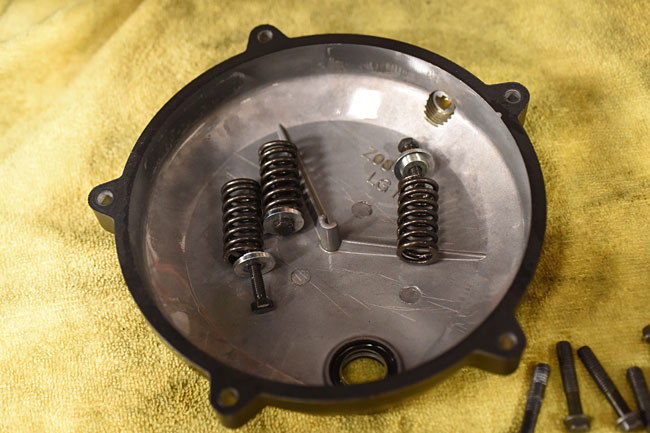
Set the clutch cover aside, inside face up.  You can use it as container for the parts we are going to remove next.

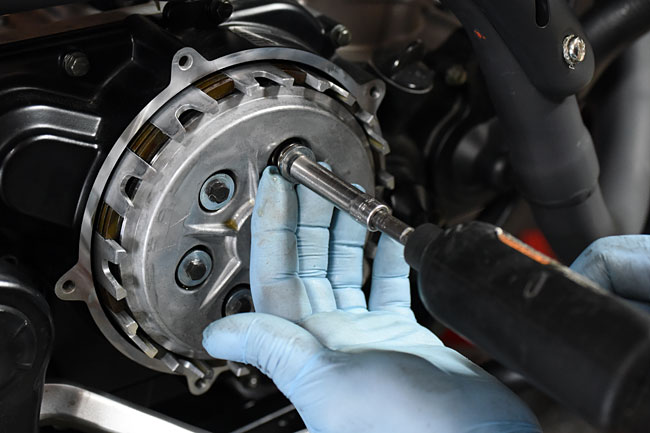
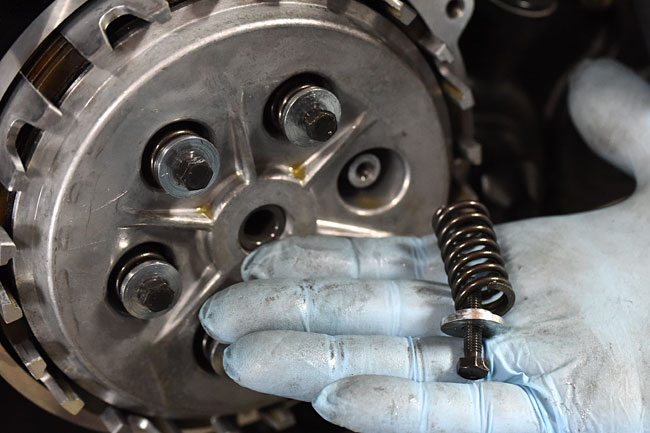
Remove the six clutch pressure plate bolts.   Each bolt has a large machined keeper and a spring.  Place these in the clutch cover.

Clutch_0018-650

Clutch_0021-650

Clutch_0024-650

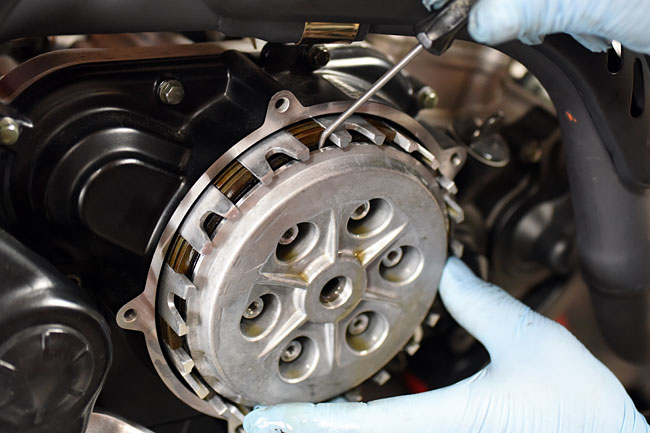
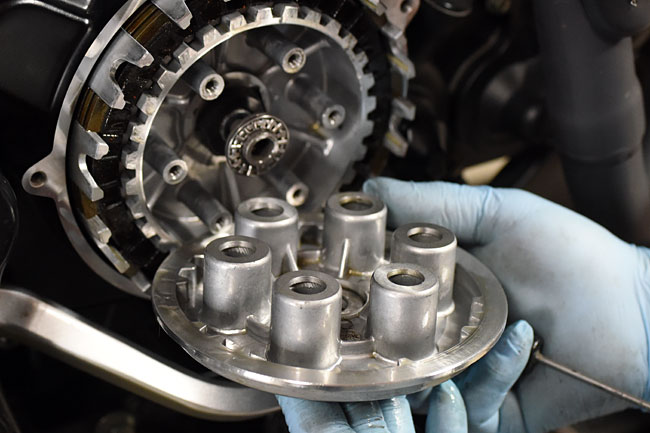
Remove the clutch pressure plate.  You may need to use a small pick to get behind it to coax it out.

Clutch_0025-650

Clutch_0026-650

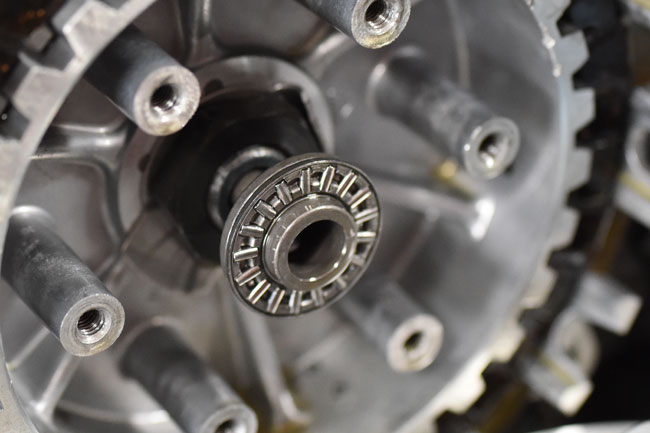
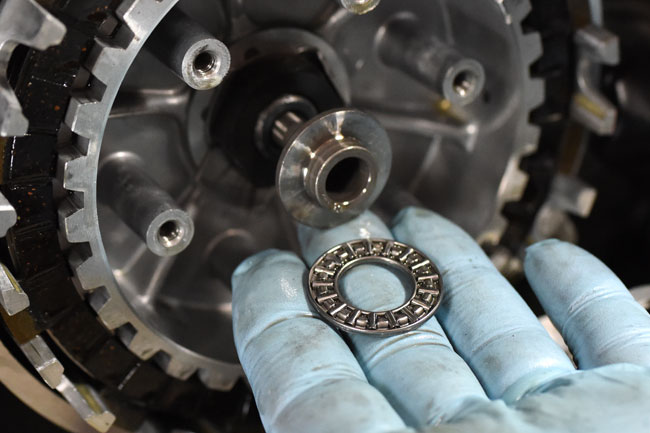
There’s a pusher behind the pressure plate that consists of a shaft, a roller bearing, and washer.  You can see it in the photo above, and here are additional photos that show these components.

Clutch_0027-650

Clutch_0028-650

Clutch_0029-650

Inspect the roller bearing and washer.   If either part is damaged, replace it.

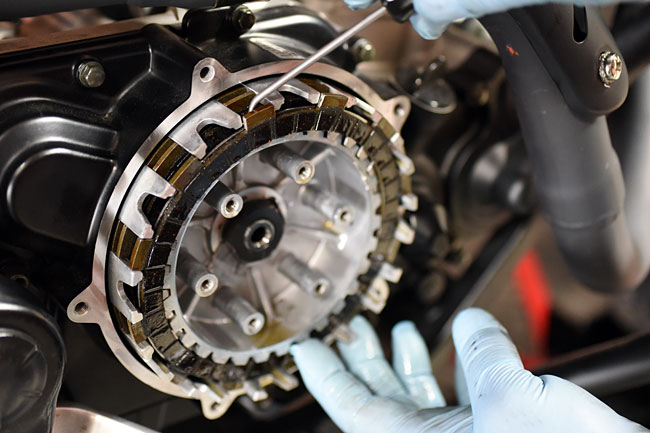
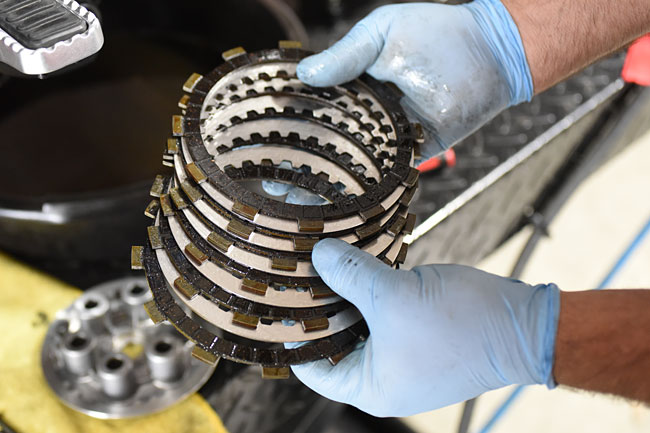
At this point, you can remove the clutch plates.   There are six friction plates and five steel plates.  It’s best to use a small pick (as shown below) to do this.

Clutch_0030-650

Clutch_0040-650

If the clutch was slipping due to the use of an unapproved oil (for example, an automotive oil with friction inhibitors), you may be able to wash the plates to remove any remnants of the unapproved oil that induced the slippage.   If I was doing this, though, I’d just replace the clutch plates.  The parts are not that expensive and I would not want to invest the labor only to find out that washing the plates didn’t work.

Replace the plates (we stock these parts), and then reinstall the pressure plate, the clutch springs, the keepers, the bolts, and the clutch cover.    Fill the engine to the correct level with an approved motorcycle oil.   Adjust the clutch as outlined above, and you are good to go.


Posted in Best Of, CSC Motorcycles | Comments Off on Clutch Maintenance

A bike that pays for itself…

We’ve posted six maintenance tutorials so far here on the blog, and a couple of folks have properly pointed out that it can be difficult to find a specific tutorial hunting around on the blog.   To make things a bit easier, we posted a maintenance tutorial index on the CSC website, and you can get to it here.  It shows all of our maintenance tutorials, it provides a quick link to each, and we’ll update it each time we post a new tutorial.

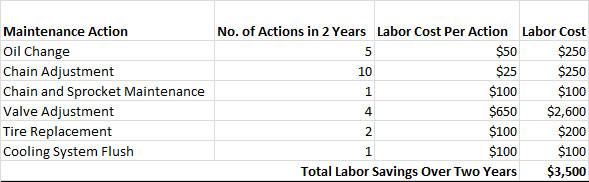
We’ll be adding several more maintenance tutorials in the next couple of weeks, but we had an interesting conversation in the plant today about how much our riders will save based on what we’ve posted so far.   The concept is intriguing, so we worked up a quick spreadsheet based on 2 years of estimated dealer labor costs and 12,000 miles on your bike during that time.   I realize this is a fairly subjective estimate, but the results are interesting…

LaborSavings

Wow, a quick back-of-the-envelope calc indicates that if you brought a bike to a dealer and had only the maintenance actions done that we’ve already empowered you to do through our online tutorials, it would cost about $3,500 in labor charges.  Yep, $3,500.  That’s what you’ll save using our maintenance tutorials and doing the work yourself.   $3,500.   The RX3 motorcycle only costs $3,495.

You do the math…


Posted in CSC Motorcycles | Comments Off on A bike that pays for itself…

Chain and Sprocket Maintenance

Easy things first, and that’s lubricating the chain.   Our advice is that you lubricate your chain approximately every 500 miles, or at the end of a long day of riding.   You should lube the chain more often if you ride in the rain or in dusty conditions.

I like to lube my chain when I stop for the day on my adventures.   The idea is to lube the chain as soon as you stop riding while the chain is still warm, as this will allow the lubricant to wick into the chain.    It’s easier to lube the chain if your RX3 has our optional centerstand, but if it doesn’t, it’s still pretty easy.   I hold a rag under the lower chain run and spray the lube directly onto the chain.   Then I’ll push the bike backward a few feet to expose more of the chain, and I’ll lube that.  I keep doing this until I’ve done the entire chain.  It requires pushing the bike backward about 15 feet in total.

ServMan27_0024-650

One word of advice here…don’t get sloppy.   Don’t let the lube get on the tire, and don’t shoot through the spokes and get the lube on the rear brake.

After I lube the chain, I don’t ride the motorcycle for at least 15 minutes.   That will allow the lube to seep in and dry.  It’s also the reason why I do it at the end of the day.

Ask any group of motorcycle riders what the best chain lube is and watch the fireworks begin.   There are wax-based lubes and petroleum based lubes.    Everybody has an opinion on what works best.  We sell both, and if you call us at 909 445 0900, we’d be happy to sell one of our recommended chain lubes to you.   What’s important is that you have a chain lube, especially if you’re leaving for an adventure that lasts more than a day.   You want to lube your chain every night when you get to your destination for that day.   Seriously.    You’ll feel the difference when you get on the motorcycle.

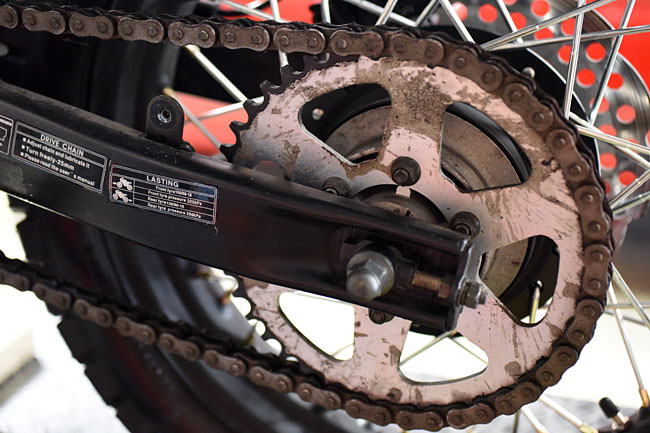
Onward and upward…let’s talk about the chains and sprockets.   Your RX3 has a 520 O-ring type chain, a 14 tooth front sprocket, and a 44 tooth rear sprocket.    The sprockets and chain won’t last forever.   If you keep your chain properly adjusted (see our maintenance tutorial on chain adjustment) and lubed (see above), the chain and sprockets will last a lot longer, but they still won’t last forever.  Typically, motorcycle chains and sprockets last between 10,000 and 20,000 miles.

Next point:  If you change the sprockets without replacing the chain, you’ll just wear out your new sprockets quickly.  If you change the chain without replacing the sprockets, it’s likely you’ll wear out the new chain quickly.   These are things that are best replaced together.   Do the chain and the front and rear sprockets at the same time.

To get a good look at the sprockets (especially the countershaft sprocket) and the chain, it’s best to remove the countershaft sprocket cover and the chain guard.

Removing the countershaft sprocket cover is straightforward; it just comes off when you remove the two bolts that attach it.   You don’t have to remove the shift lever.   I only point this out because one of the RX3 service manuals that’s floating around out there on the Internet says you need to remove the shift lever, but you don’t.

ServMan27_0016-650

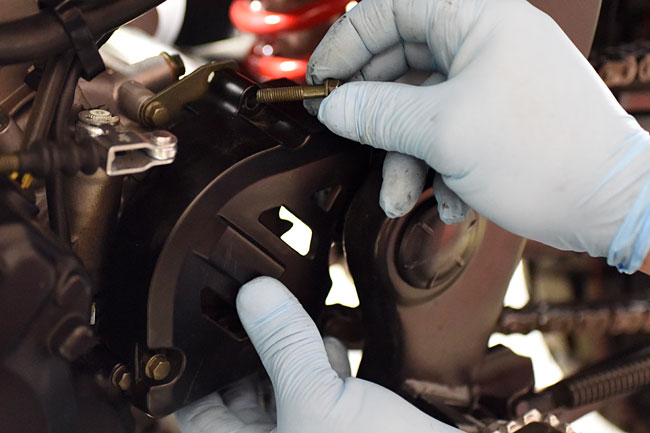
There are three Allen bolts that secure the chainguard.   Two are very visible and accessible; the third is hidden on the forward portion of the chainguard on that part of the chainguard that is behind the chain.  Undo these three bolts and remove the chainguard.

ServMan27_0021-650

ServMan27_0020-650

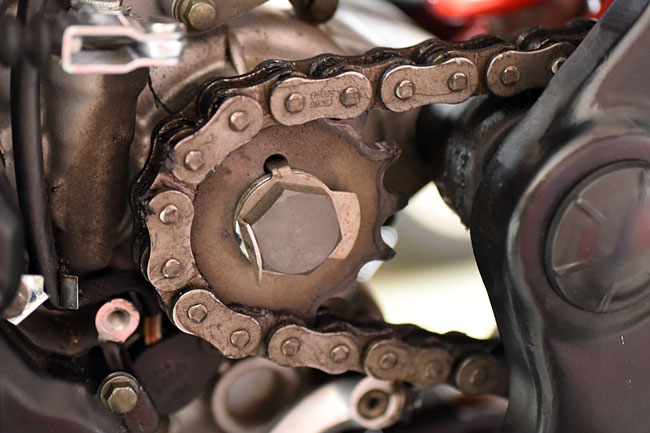
After you have removed these items, you can see the sprockets and the chain.

ServMan27_0014-650

ServMan27_0017-650

If the sprocket teeth are hooked or otherwise excessively worn, it’s time to replace both sprockets.   If the chain has excessive stretch or if it has kinks that you cannot work out by manually rotating the links with respect to each other, it’s time for a new chain.   And like I said above, if you need to replace either item (the chain or the sprockets), you should replace both the chain and the sprockets.

On a new RX3 motorcycle, the chain does not have a master link.   When you need to replace the original equipment chain on your motorcycle, you have to cut it off.   A replacement 520 chain (and yes, we sell them) has a master link that will allow you to install the new chain.   When you install the master link, the closed end should always face the direction the chain rotates.   Another bit of advice:   Carry a spare master link (don’t ask me how I know this is a good idea).

We stock all of the items described above (chain lubes, chains, and sprockets).  Give us a call (909 445 0900) and we’ll be happy to help you.


Posted in Best Of, CSC Motorcycles | Comments Off on Chain and Sprocket Maintenance

Cooling System Maintenance

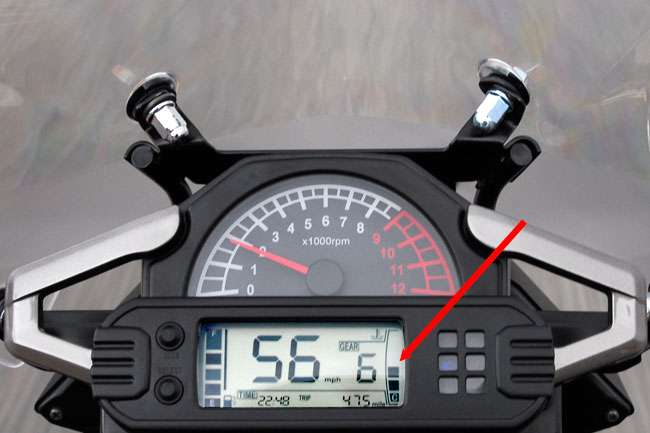
This tutorial addresses the cooling system on your RX3 motorcycle.    The RX3 is water cooled (actually, it’s an ethylene glycol and water mix), and you can see your bike’s operating temperature on the right side of the instrument cluster.

_DSC0059JoshTreeInstCluster

Anything below the max bar is okay.   In the photo above, we were riding through Joshua Tree National Park on a very cold day, and the temperature indicator never got above two bars.  On warm days, when stopped in traffic, or when climbing hills, the temperature indicator will go up to three or four bars.  It’s normal.

Let’s start our cooling system discussion by considering safety issues:

  • Only work on the cooling system when the engine is cold.
  • When opening the radiator cap, always cover the radiator cap with a cloth and open it slowly to prevent being scalded by escaping hot fluid.
  • Always immediately wipe up any spilled cooling fluid.
  • Only use a quality 50/50 ethylene glycol/distilled water cooling fluid with corrosion inhibitors intended for use in aluminum engines.

The RX3 cooling system consists of the following components:

  • Two radiators located under the fuel tank.
  • Two fans (one for each radiator).
  • Hoses connecting the radiators and the engine.
  • A water pump.
  • Cooling fluid.  The system coolant capacity is 1.0 liter.
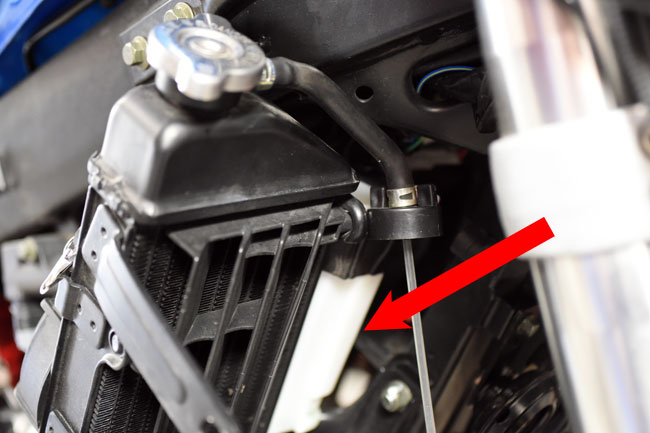
  • A temperature sensor (located on the bottom of the left radiator).
  • An overflow container located to the left of the right radiator.
  • A thermostat located on the top right of the cylinder (it’s where the cooling system hose attaches to the engine).

Don’t buy just any “antifreeze” cooling fluid from an automotive store.  Your RX3 motorcycle has a high performance aluminum engine and it needs a cooling fluid designed to work in this kind of engine.  If you use regular automotive cooling fluid, it will induce engine damage.   We stock cooling fluid for the RX3 motorcycle, and if you would like to order it from us, please give us a call at 909 445 0900.

Okay, that’s enough for the commercial.   Let’s get back to the maintenance activity.

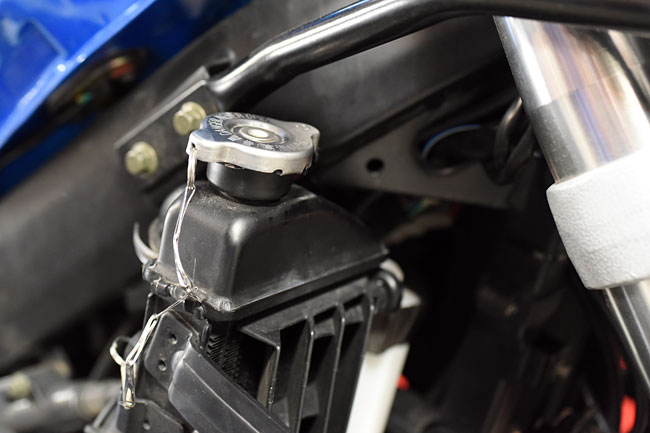
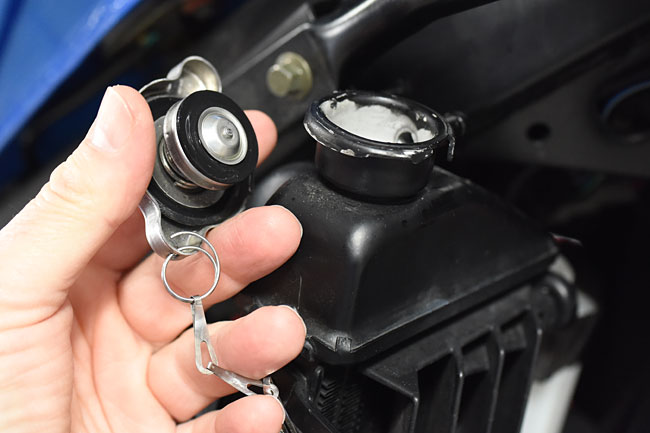
Access to the coolant system is provided via the radiator cap on top of the right side radiator.    As mentioned above, when opening the radiator cap, always place a rag over it and open it slowly.

There are three categories of cooling system maintenance:

  • Checking and adjusting the cooling fluid levels.
  • Flushing and replacing the cooling fluid.
  • Troubleshooting associated with engine overheating or leakage.

This tutorial considers each of these.   We’ll go into detail on the first two categories.   For troubleshooting, we’re going to refer you to the Service Manual provided free with each new CSC RX3 motorcycle.

Checking and Adjusting Cooling Fluid Levels

In our photos in this section of the cooling system maintenance tutorial, we show the bike with all of the right side body panels removed.   We did that just to make the photography easier.   You can get to the radiator cap and the overflow container (just for checking cooling fluid levels) without removing all of the right side body panels, but it will be tight.   Turn the forks to the left to gain more access to the right side radiator and overflow container.  It’s easier to get to the overflow c0ntainer from underneath the bike.

You should check the coolant level in two places:  The overflow container, and the radiator.

The first check is to view the coolant level in the overflow container.   The overflow container should show a fluid level between the top and bottom of the container.   The fluid level is visible from the outside of this container (you do not need to open the container to see the fluid level).   It is normal for this level to vary as the motorcycle is operated and when the motorcycle is turned off as the engine cools.  If you need to add fluid to the overflow container, unscrew the overflow container’s twist top.   Use a funnel to avoid spilling fluid on the motorcycle if you need to add cooling fluid.   If any cooling fluid spills, wipe it up immediately.

ServMan26Feb_0015-650

SuppCooling_0010-650

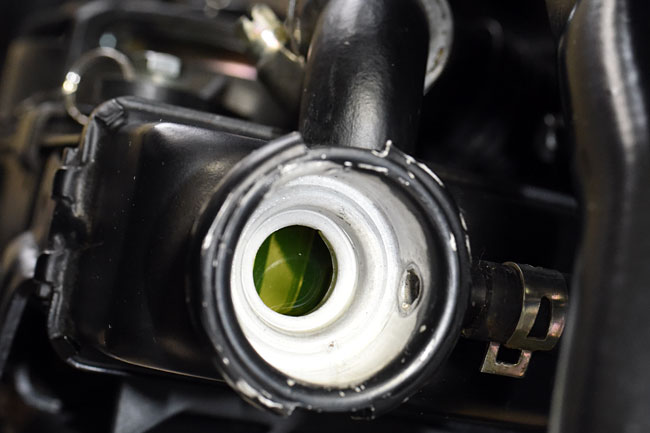
The second place to check the cooling fluid level is the radiator cap.  As mentioned above, use caution whenever opening the radiator cap, and only open it when the engine is cold.  The fluid level should be about even with the bottom lip in the radiator when the radiator cap is opened, as shown below.

ServMan26Feb_0017-650

ServMan26Feb_0019-650

SuppCooling_0009-650

Flushing And Replacing The Cooling Fluid

We recommend flushing and replacing the cooling fluid every two years.

Start by opening the radiator cap.  Again, make sure the engine is cold, and you should still put a cloth over the radiator cap and open it slowly.

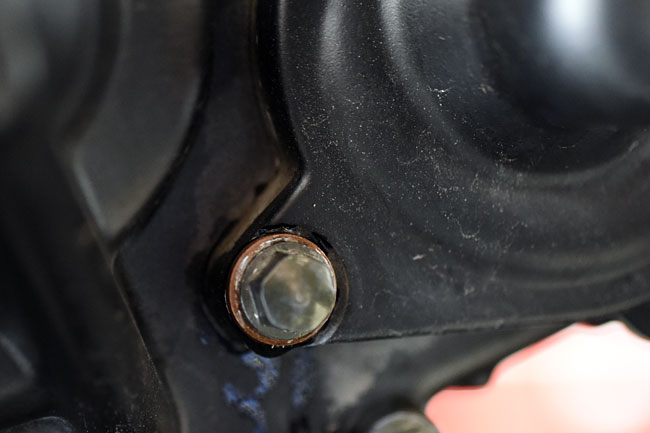
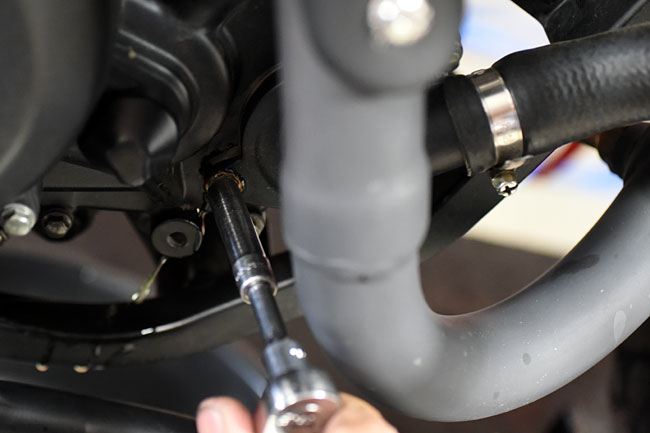
Place a drain pan beneath the motorcycle and then open the cooling system drain plug.  It’s located on the right side of the engine just beneath the water pump.  It looks like one of the bolts securing the water pump to the engine, but you can distinguish the drain plug by its location and the fact that it has a copper gasket beneath the bolt head.

ServMan26Feb_0021-650

ServMan26Feb_0024-650

Allow the cooling fluid to completely drain from the right radiator.   Move the bike to a completely vertical orientation to allow the radiator to drain completely.

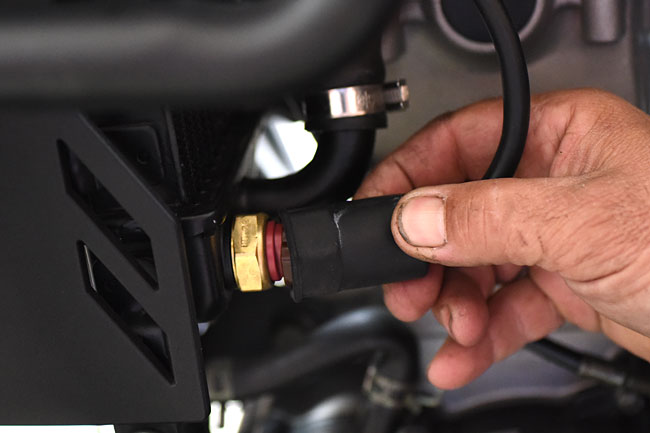
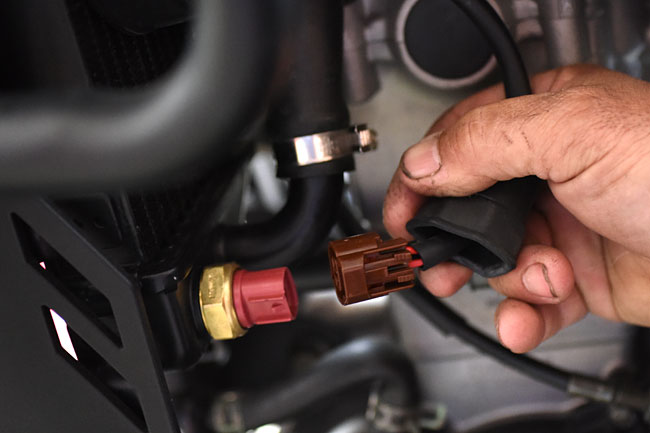
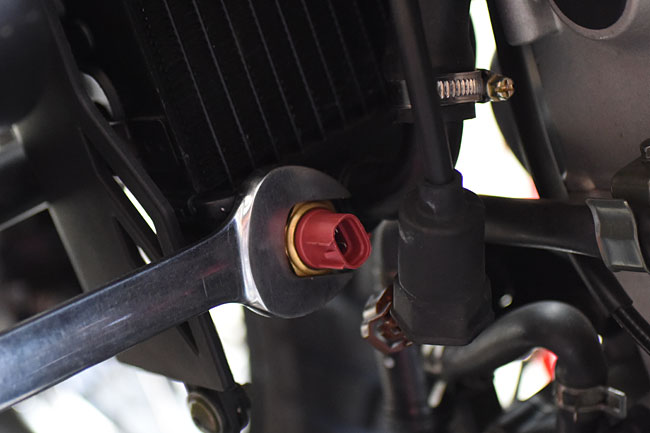
Next, drain the left radiator.   Place a drain pan underneath the left radiator.   Remove the electrical plug from the temperature sensor, unscrew the temperature sensor, and allow the cooling fluid to drain from the radiator.   Immediately wipe any spilled cooling fluid from the motorcycle.

ServMan26Feb_0025-650

ServMan26Feb_0026-650

ServMan26Feb_0028-650

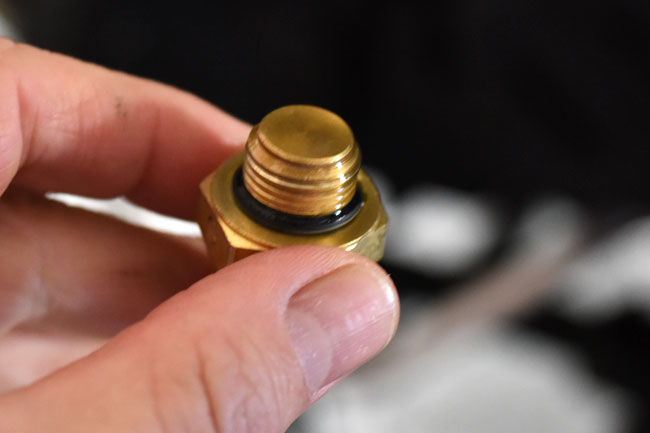
Note that the temperature sensor has a rubber gasket to form a seal between it and the radiator.   Take care not to damage this seal when removing and reinstalling the sensor.

ServMan26Feb_0030-650

At this point, all cooling fluid will have been drained from the motorcycle.

Reinstall the cooling fluid drain plug (just beneath the water pump) and the temperature sensor.

Add one liter of new cooling fluid to the radiator.   Use a funnel to prevent spilling cooling fluid on the engine, and again, immediately wipe up any spilled cooling fluid.   As you are adding cooling fluid, you will notice that the radiator will not take the entire liter of cooling fluid.   That’s because the cooling fluid needs to flow to the other radiator, the hoses, and the engine.

When the right radiator fills to its neck, and with the radiator cap off, start the engine and allow it to run such that cooling fluid is pumped to the engine and the left radiator.   You can burp the system by gently squeezing the cooling system hoses to move fluid through them.    Shut the engine off and add more cooling fluid to the right radiator.   Repeat this process until the cooling system is full.   When you are done, the cooling fluid will be even with the lower lip inside the right radiator opening.

Start and allow the motorcycle to run for several minutes to make sure the cooling system is operating normally.

Next, remove the cap from the overflow container.   Add cooling fluid to the overflow container such that the container is approximately half full.   Remember that this is a reservoir and the cooling system will pull from the overflow container and return cooling fluid to it.   Don’t have a cow about getting it exact.  Half full (or half empty, depending upon your outlook on life) is good enough.

After completing the above activities, reinstall all body work on the right side of the motorcycle.   Start your bike and go for a ride.  You’ll feel better.   Trust me on this.

Troubleshooting

You will know if the cooling system is not operating properly when the engine overheats (discernable via the instrument cluster temperature indication) or if you see cooling fluid leakage from the motorcycle.

If leakage occurs, you need to identify and correct it at the point where the motorcycle is leaking.   There’s no rocket science here; it’s Leak Detection and Fixing 101.

If the motorcycle overheats based on the instrument temperature gage bar indication, we’re going to refer you to the RX3 Service Manual (provided free with each new CSC RX3 motorcycle) for detailed troubleshooting instructions.


Posted in Best Of, CSC Motorcycles | Comments Off on Cooling System Maintenance

The Port of Long Beach

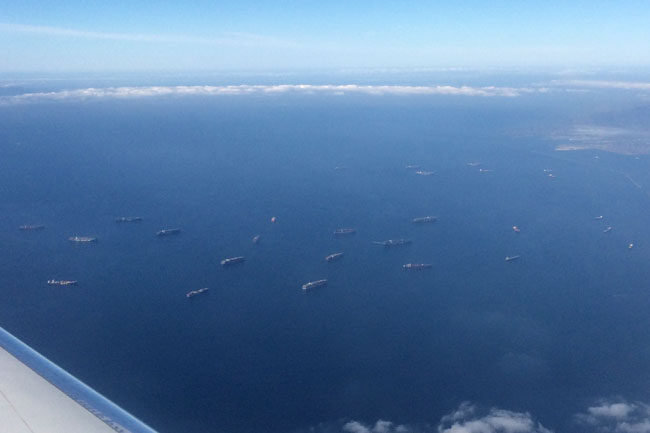
Our good buddy Juddy, who’s on the list for a new RX3, flew over Long Beach today and grabbed this photo for us…

image1-(2)-Off-Long-Beach

The folks at the docks are working the backlog.   The Germany is still a ways out, so we’re expecting most of this backlog to be beaten down by the time she arrives.

As always, we’ll keep you posted.


Posted in CSC Motorcycles | Comments Off on The Port of Long Beach